ReluxDesktop 2026.2 Update
with new smart features
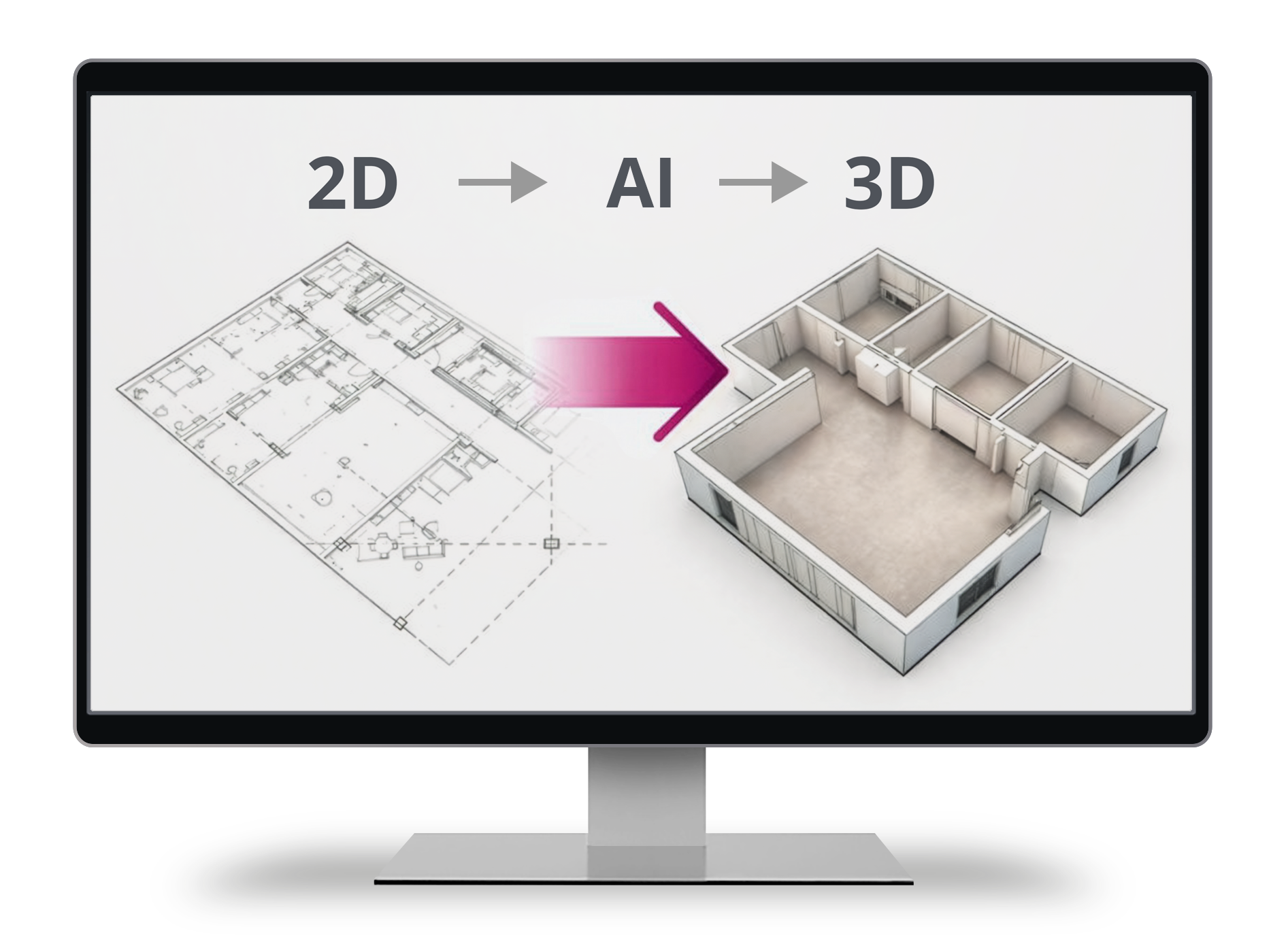
The new "2D-to-3D" tool imports existing PDF plans directly into ReluxDesktop and uses AI to convert them into a 3D plan. Rooms, windows and doors are recognised. The function is available free of charge.
With AI image generation, your lighting scene can be visualised with one click. The images can be used in the output and in presentations.
Further areas have also been improved, including road classes, Interactive Mode and the custom search in the project tree.
New in ReluxDesktop 2026.2
✅ 2D to 3D – digitise plans easily → Free of charge
✅ AI image generation → 5 free credits
✅ Interactive Mode in real time
Update now to ReluxDesktop 2026.2
Update to ReluxDesktop 2026.2 now and use the new functions such as 2D-to-3D digitisation and AI image generation.

All new features at a glance
2D to 3D – digitise plans easily
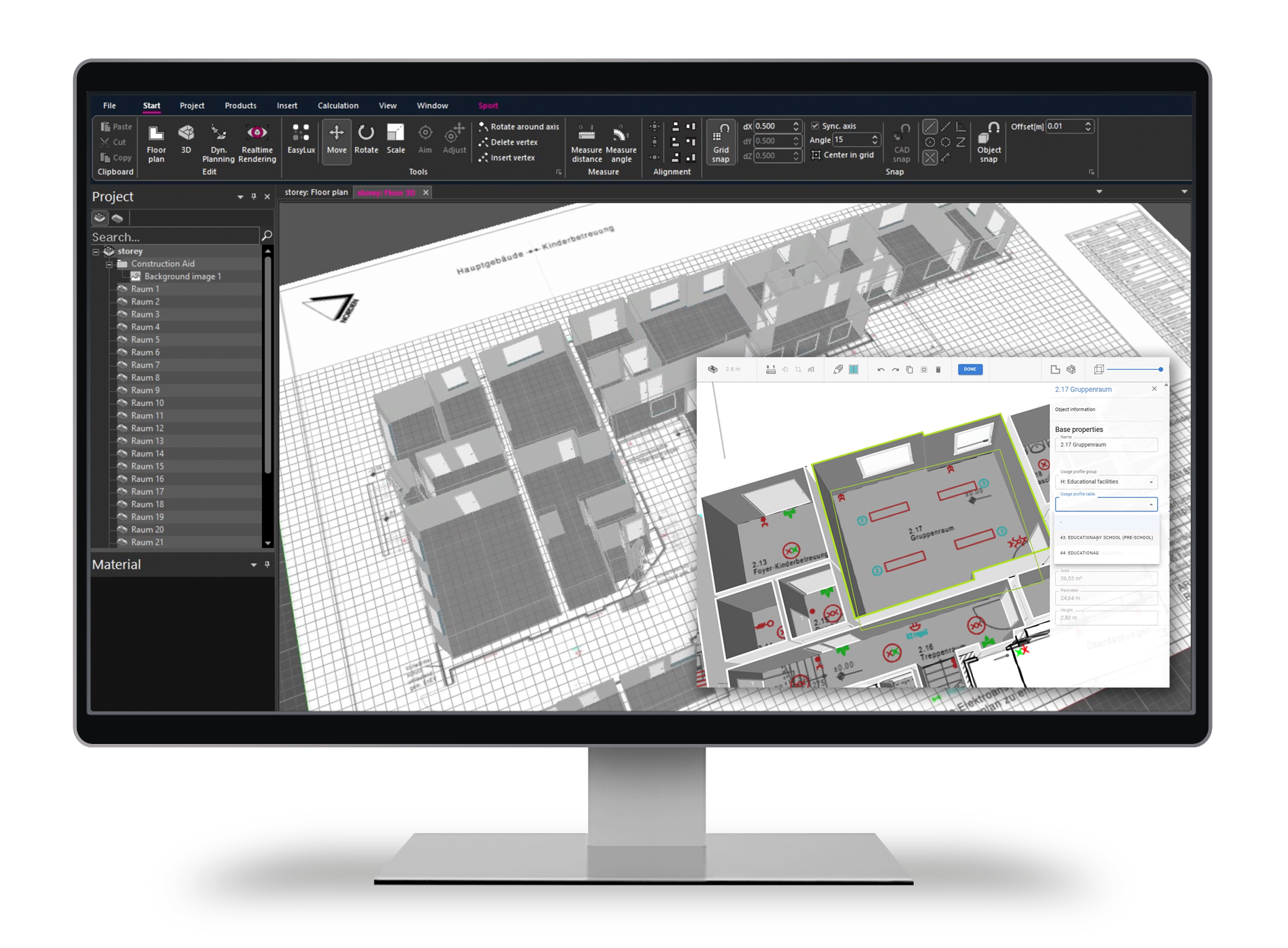
With the new 2D-to-3D conversion feature in ReluxDesktop, floor plans from PDF files can be automatically recognised and converted into 3D spatial data.
An AI has been trained with many floor plans and rooms. It recognises rooms, windows and doors from PDF files. It does not matter whether the PDF file contains vector data or pixel images. Photos and sketches in a PDF file can also be imported. The tool is provided free of charge.
Entire storeys are interpreted with their rooms. The tool makes it possible to scale, rotate and select a section from the content of a PDF file. The rooms are then manually supplemented with names and usage profiles in accordance with current standards.
With the free 2D-to-3D conversion, rooms only rarely need to be traced manually. This saves a great deal of time, especially with many rooms and storeys. A check and, if necessary, a correction remain necessary. The reliability of the AI is high and continues to improve.
✅ Create 3D data from floor plans with AI
✅ Recognise rooms, windows and doors
✅ Storey editor: scale, rotate and geometrically correct rooms, and add usage profiles
✅ Free of chargeTest now – free of charge!
Watch the Quick-Guide-Video, to See how to use the function.
Knowledge Database – Use the 2D to 3D-Tool
RELUX offers an AI-supported service for the automated recognition of rooms, doors, windows and storeys from uploaded 2D plans. Processing takes place on RELUX servers. Corrections made by users may be used to improve recognition quality and to further develop the AI models. Only the data required for this training purpose is processed.
Personal data is avoided wherever possible, or processed in anonymised or pseudonymised form. Processing is carried out exclusively to provide the service and to improve the recognition algorithms. Users can object by not using the free service and continuing to work manually as before.

«We are particularly proud of the new "2D to 3D" feature. Existing plans can be digitised easily and used for planning in ReluxDesktop. This is real added value for every lighting planner. The tedious task of tracing rooms manually is eliminated.»
Robert Heinze, CTO, RELUX Informatik AG
Customer Testimonials

«The PDF to room conversion is exellent!!! I used it few times already and it's been such a speedy process of a time consuming task. Great add on. Thank you RELUX.»
Kate Roberts AMSLL
Lighting Designer

«2D to 3D converter: It works well. Certainly will speed up design time.»
John Withington MSLL, Senior Lighting Design Engineer
Luminous Solutions, UK

«The new tool from Relux feels like the first real step toward the next generation of lighting design. Smarter workflows, greater efficiency, and new possibilities for designers.»
Jordi Kiengo, Electrical Engineer
Toulouse, France
AI image generation
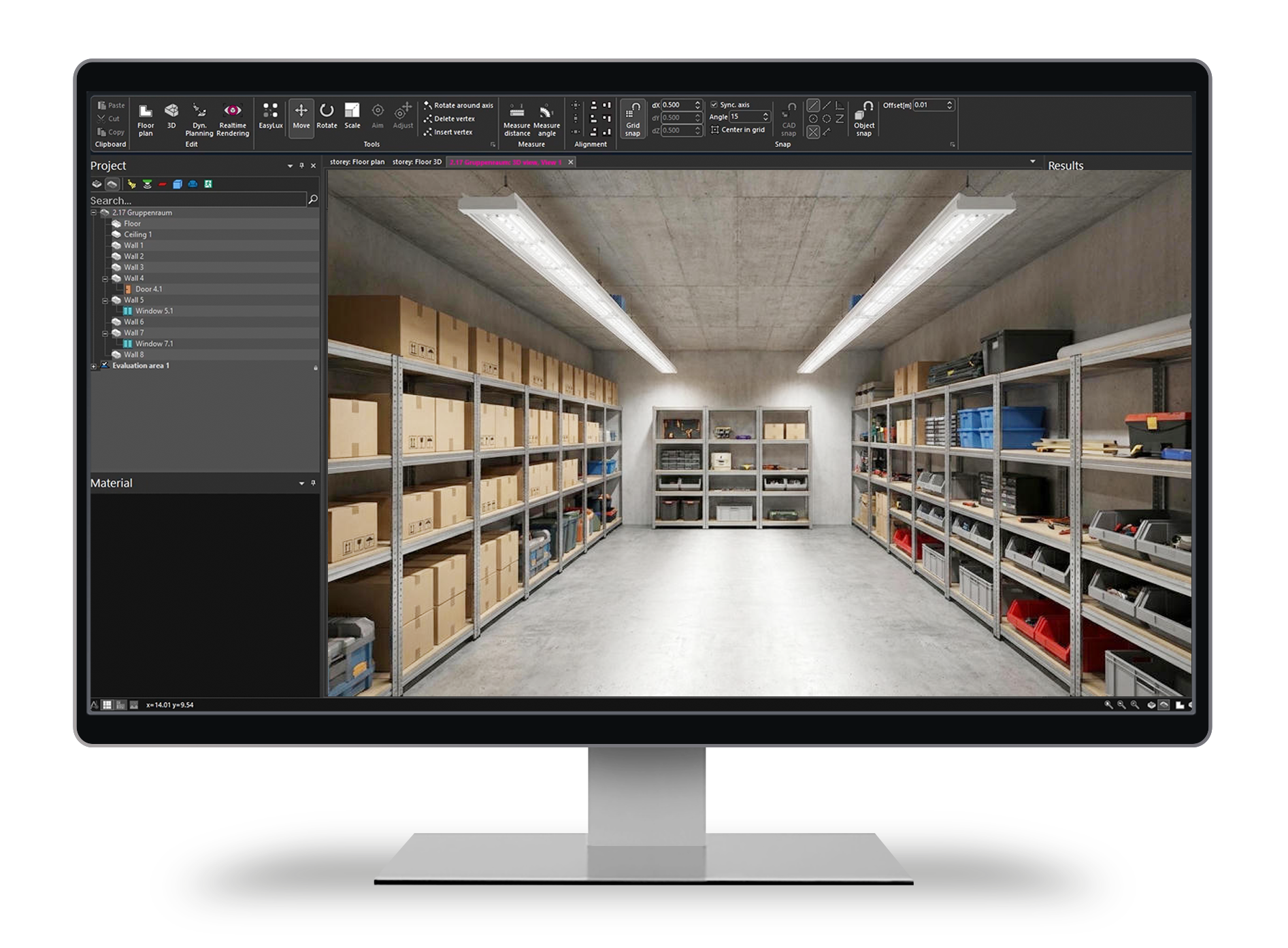
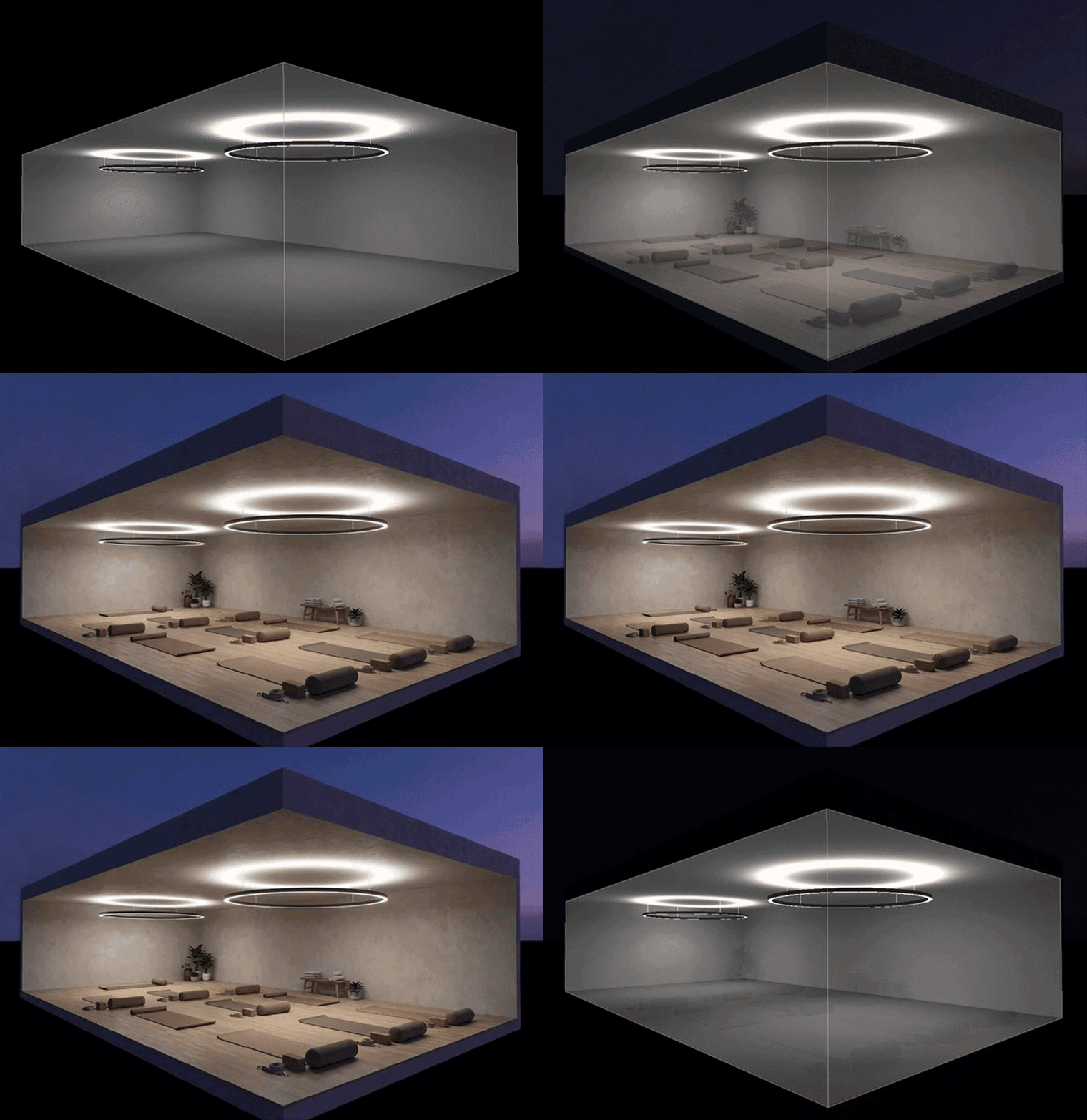
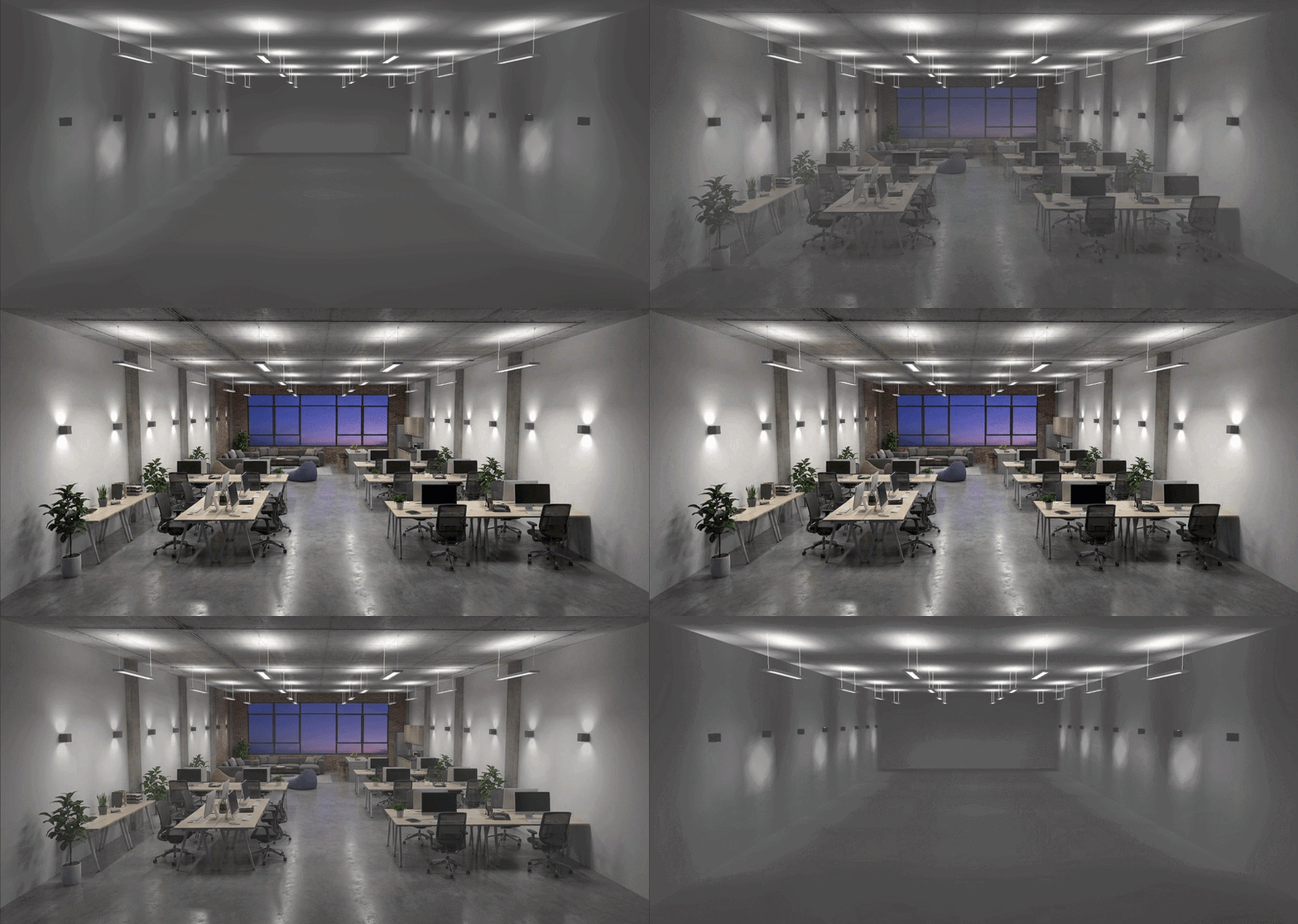
Create realistic visualisations of your lighting design with one click. The AI generates high-quality scenes from a RELUX lighting calculation. It automatically takes into account room geometry, materials, colours, windows, doors, lighting-related properties, as well as the number and position of the luminaires used. The RELUX lighting calculation, the room name and the usage profile are also included.
The images are available in the output and are saved with the project file. The AI image service is subject to a fee and is billed via user-specific credits. The current focus is on interior scenes. Custom user prompts are not yet supported.
The best product presentation in AI-generated images is achieved using luminaires from the ReluxNet database.✅ Realistic visualisations with little effort
✅ Enhance presentations
✅ Visualise different room scenarios
AI image generation with different room types
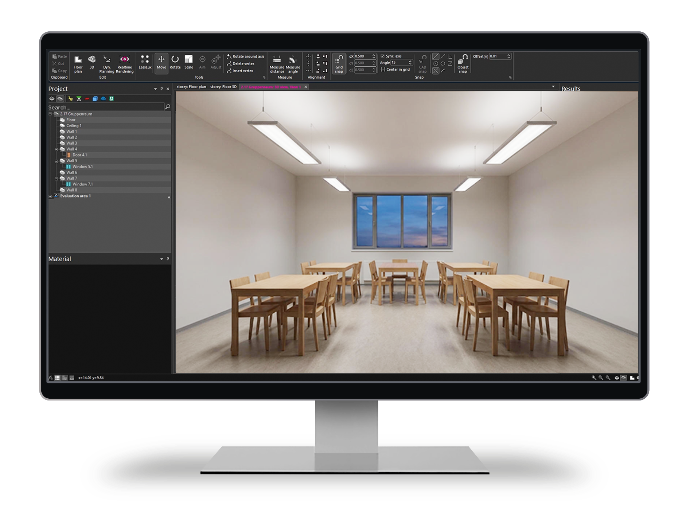
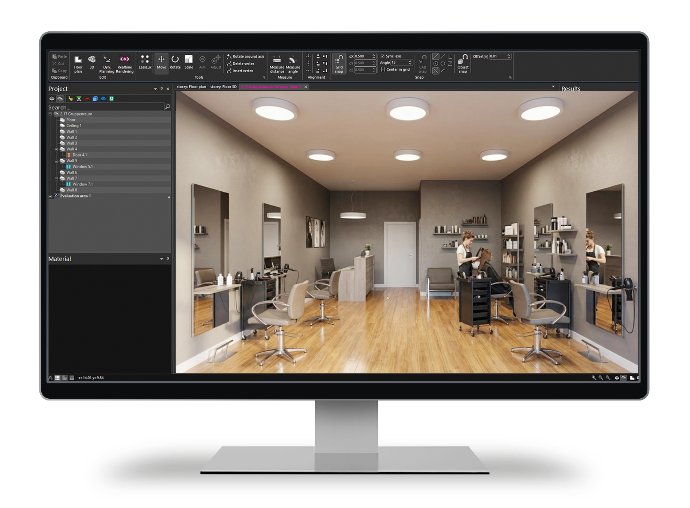
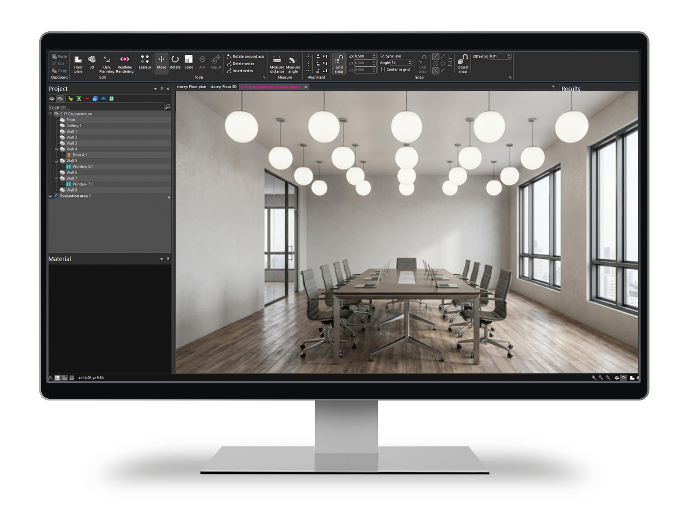
Enhance your project images with the AI image generator
Test now – free of charge!
You receive 5 credits in your Relux-Account to generate 5 AI images free of charge.
Buy additional credits in the ReluxShop
Step-by-step guide to AI images
In the RELUX knowledge database documentation, we show you step by step how to create AI images or purchase additional credits.
Knowledge Database – creating an AI image in ReluxDesktop
Quick-Guide – creating AI images in ReluxDeksktop
Knowledge Database – purchasing credits for AI images
Knowledge Database – Manage Credits for AI images
RELUX offers the option of creating AI-generated visualisations from RELUX calculation results. For this purpose, a technical RELUX service is used to access Google’s “Nano Banana” image generation service.
RELUX does not transmit personal information such as names, email addresses or customer data to the image generation service, unless this information is entered by the user in prompts or included in the content to be processed. Users are advised not to enter any personal or confidential information in prompts.
The generated AI images are intended to visualise the lighting situation. They do not correspond to lux specifications. The transmitted data is processed exclusively to carry out the requested image generation. The data transmitted to the image generation service is not used to train general AI models. Further information on data processing by the service provider used can be found in Google's privacy policy.
EN1838:2024 –
emergency and safety lighting
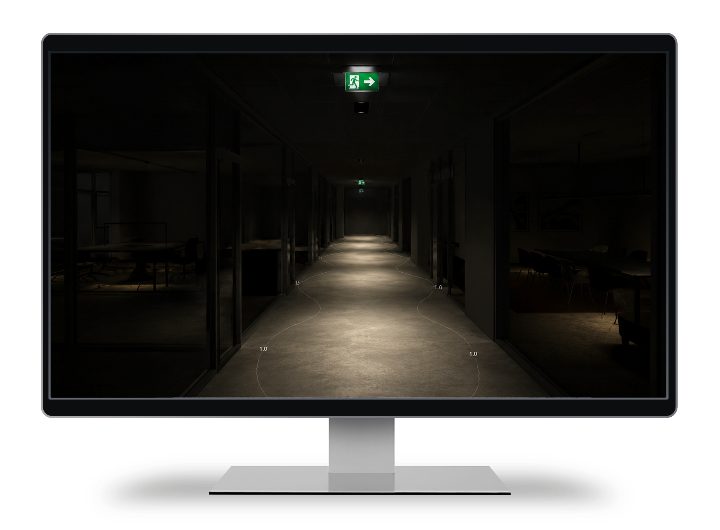
Emergency lighting is a key topic in lighting design – with direct effects on the safety of building users and compliance with legal requirements. The EN 1838:2024 standard is fully included in the 2026.2 update and changes the assessment approach:
Minimum illuminance of 1 lux across the entire usable escape route area.
✅ With the updated automatic placement, the spacing is now calculated based on the area-based approach of the new standard.
✅ The integrated planning aid tool calculates geometrically and very quickly which luminaire spacings are required to achieve 1 lux across the entire defined area.
✅ Live results across the entire area: the real-time illuminance display shows directly whether the entire escape route area is correctly illuminated – including the edge zones.
Webinar recordings on emergency and safety lighting
FUN with RELUX Episode 49 – New EN 1838 [Video EN] [Video DE]
FUN with RELUX Episode 57 – Emergengy Lighting [Video EN] [Video DE]
Interactive mode – real-time view
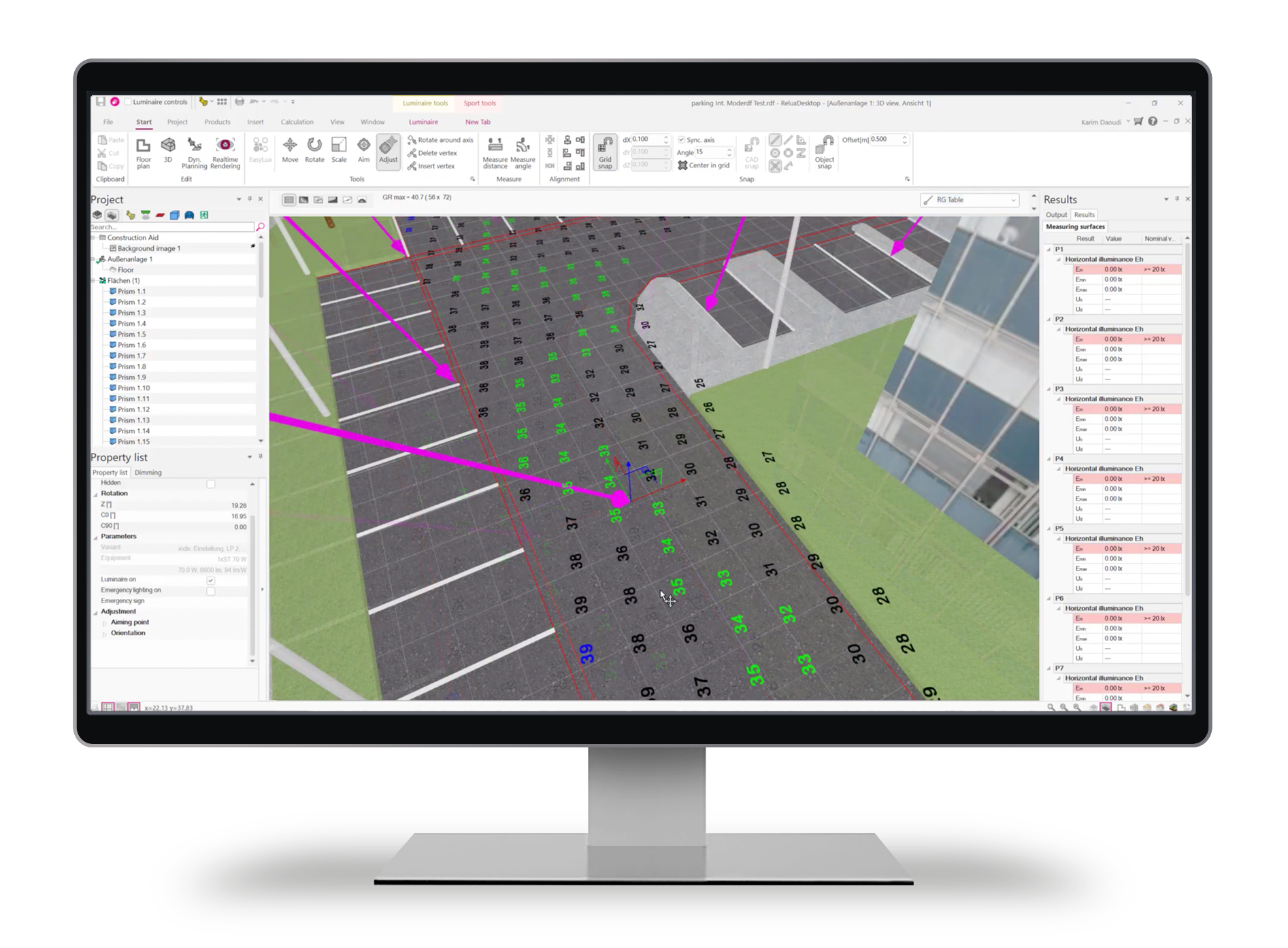
Interactive Mode enables dynamic and fluid real-time work directly in the 3D view of ReluxDesktop. Instead of starting a manual recalculation after every change, the program updates the light distribution and results immediately in the background when luminaires or objects are edited. This real-time feedback makes it much easier to experimentally adjust positions and angles throughout the entire planning process.
✅ Immediate results view: every movement or rotation of a luminaire is shown directly in an updated visual representation.
✅ More efficient alignment: complex lighting concepts and precise accent lighting can be optimised without time-consuming calculation pauses.
✅ Smooth workflow: the constant switching between construction mode and separate calculation runs is no longer required.
The “Interactive Mode” function is activated in the “Sport” navigation.

Further adjustments and features
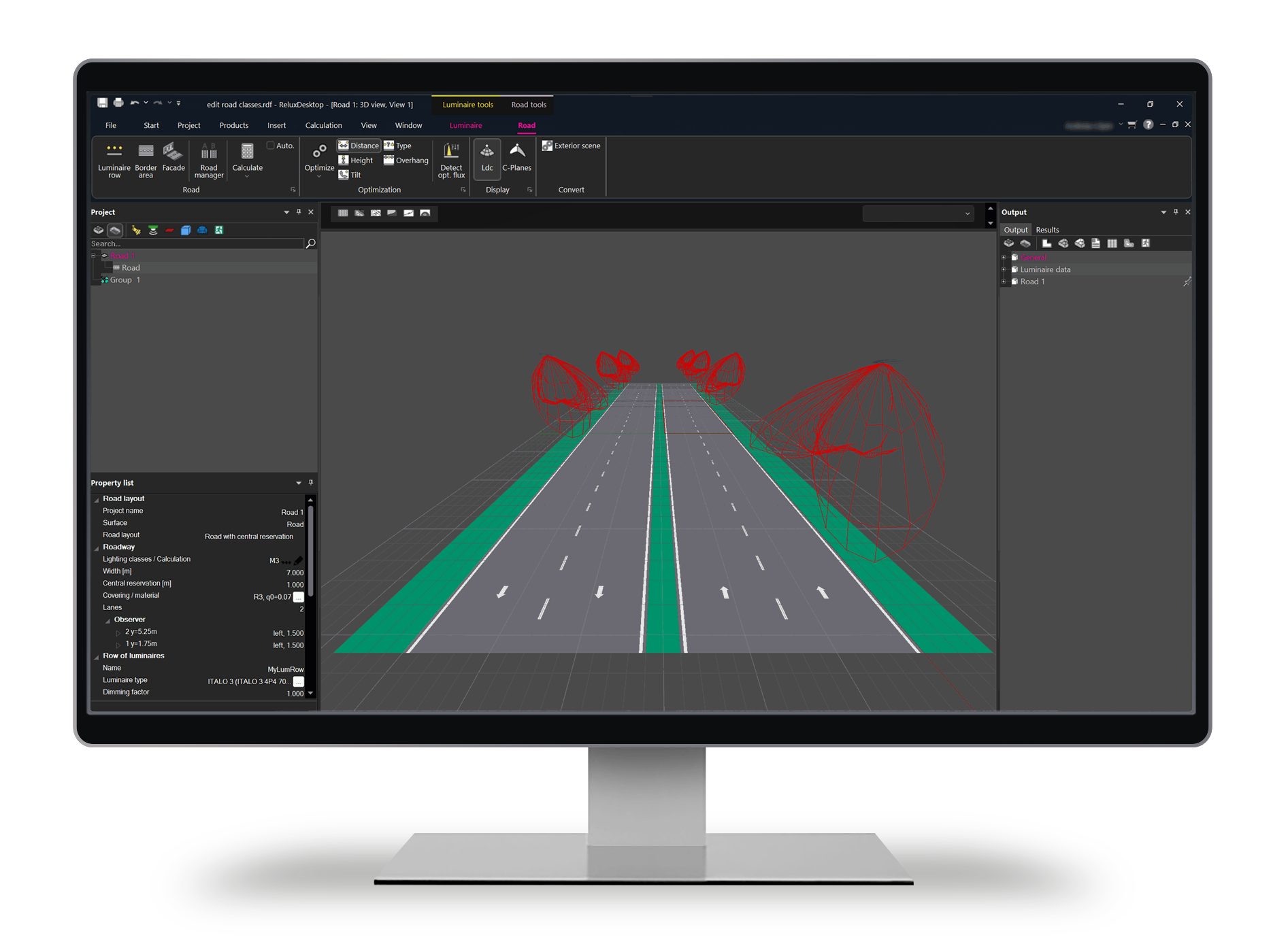
Road classes
ReluxDesktop enables the flexible definition of custom criteria for lighting classes. This allows project-specific requirements to be represented precisely and in compliance with standards.
✅ Higher efficiency
Custom search
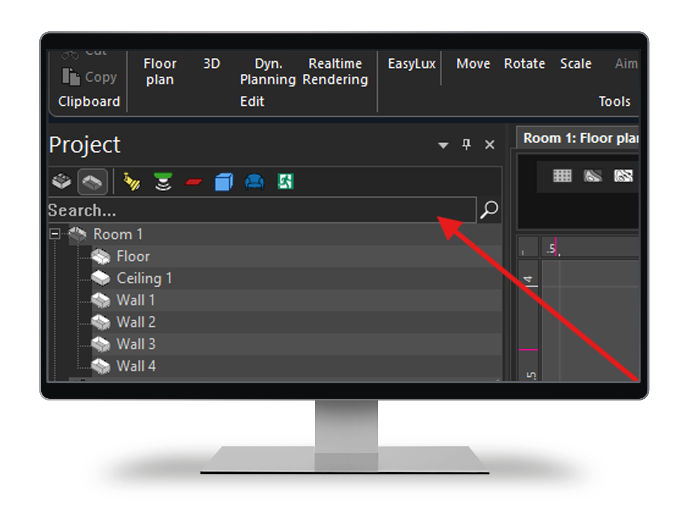
The custom search in the project tree enables faster orientation. Especially in large projects with numerous luminaires, elements and groupings, the required position can be found quickly.
✅ Find luminaires and elements quickly
Irregular measurement grids (Sport)
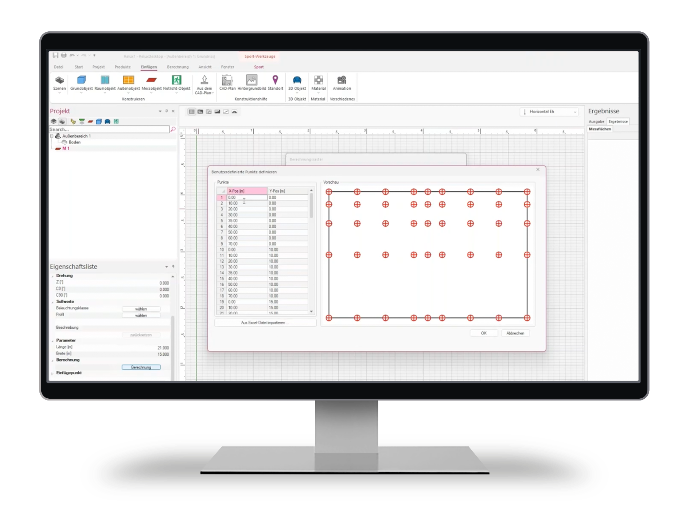
With the latest update, irregular measurement grids (irregular calculation grids) for sports facilities can be flexibly mapped via an Excel import. This is essential for modern sports ground calculations, as current standards require dynamic point spacing in order to accurately capture critical zones such as goal areas or TV camera angles.
✅ Huge time savings
Update now to ReluxDesktop 2026.2
Update to ReluxDesktop 2026.2 now and benefit from the latest functions such as 2D-to-3D digitisation and AI image generation.