ReluxDesktop – How to buy credits for AI-Image generation
ReluxDesktop > AI-Image generation > How to buy credits for AI-Image generation
How to buy credits for AI-Image generation in the ReluxAccount.
Relux Credits
Credits can be purchased easily via our webshop. By purchasing credits, you can use certain services on a pay-per-use basis. Every new user receives 5 credits free of charge by default. Currently, credits can only be purchased for AI image generation.
1. View your credits
-
After purchase, credits are credited to the account on relux.com through which they were purchased.
- On www.relux.com, make sure you're logged in to your account, then click My Account (1)
- You can access your credits wallet by clicking the button marked (2).
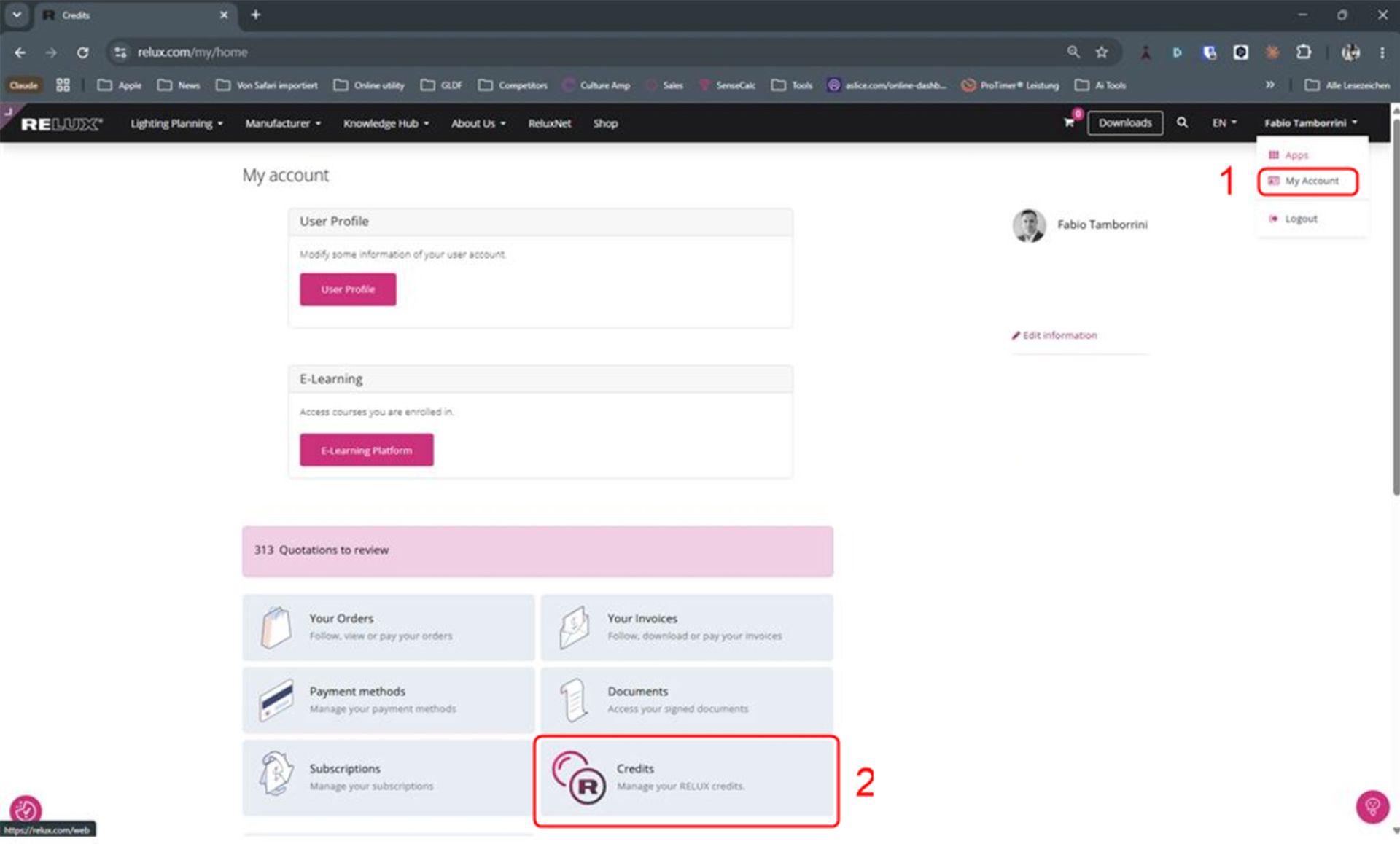
How to find your RELUX credits: Click on your username dropdown and select "My Account" (1), then scroll down and click the "Credits" tile (2) to manage your balance.
2. View your credits in ReluxDesktop
- Available credits can also be displayed directly in ReluxDesktop at any time. You will find them in the application below your account name.
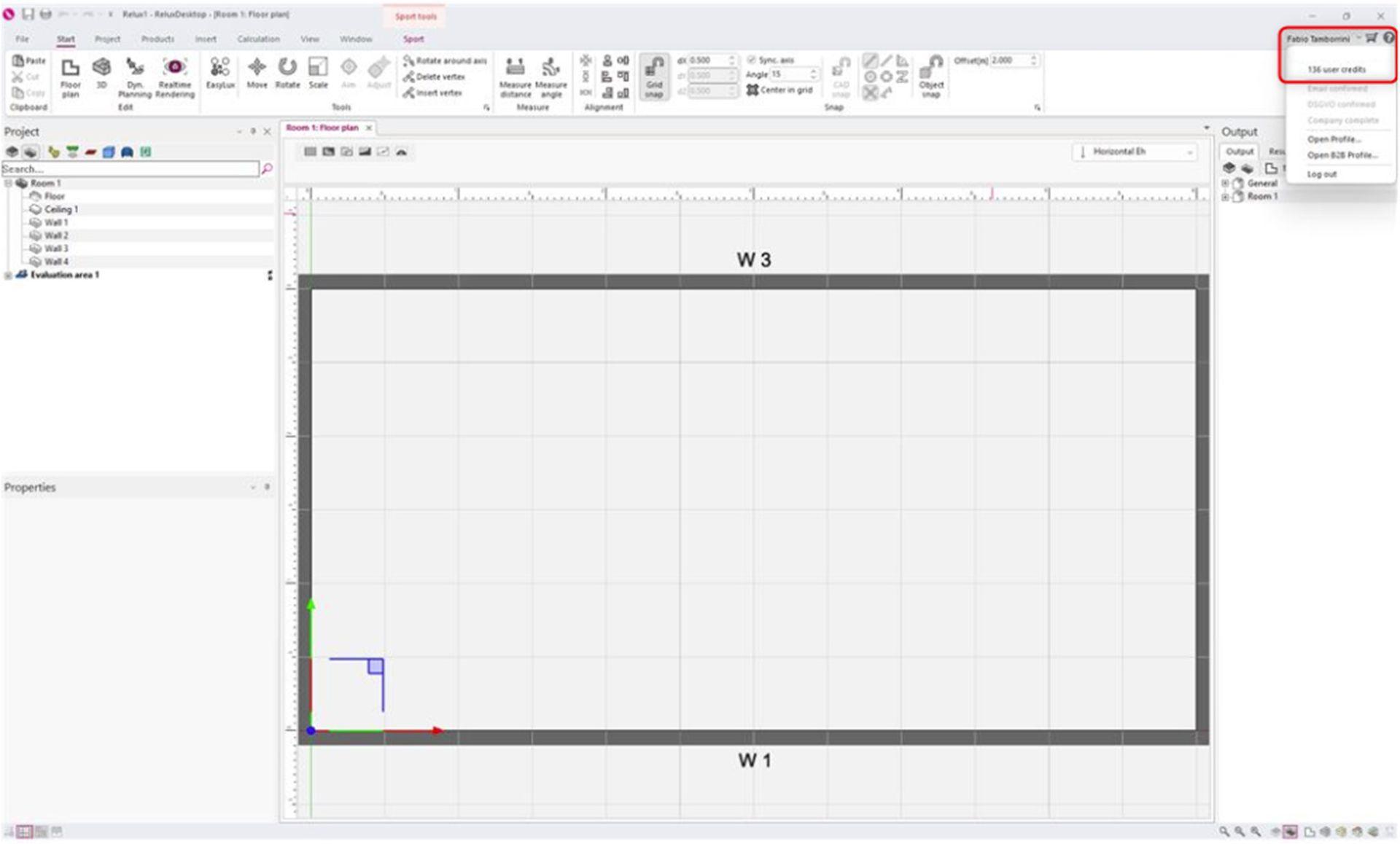
Checking credits in ReluxDesktop: You can view your remaining active credit balance directly within the software by clicking your user profile dropdown menu in the top-right corner.