ReluxDesktop – DGP Observer (Daylight Glare Probability)
ReluxDesktop > Measuring objects > Observer DGP (daylight glare probability)
DGP calculation in accordance with daylight standards.
Explanation
With the first click on the floor plan or the 3D view, you create a new DGP point. The observer is placed at a standard height of 1.2 meters and direction to east (90°).
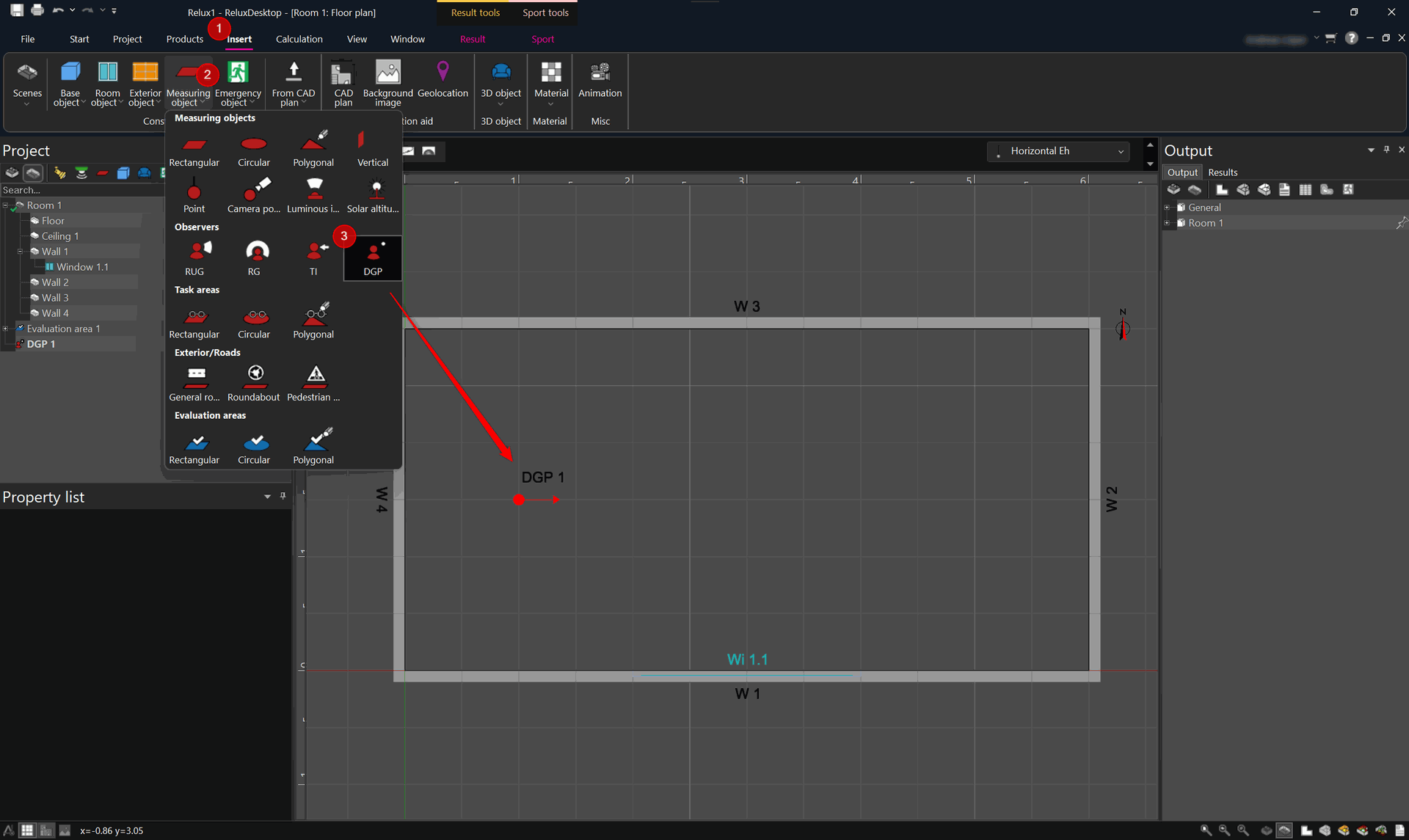
The new DGP observer is positioned in the scene tree and ready to set up:
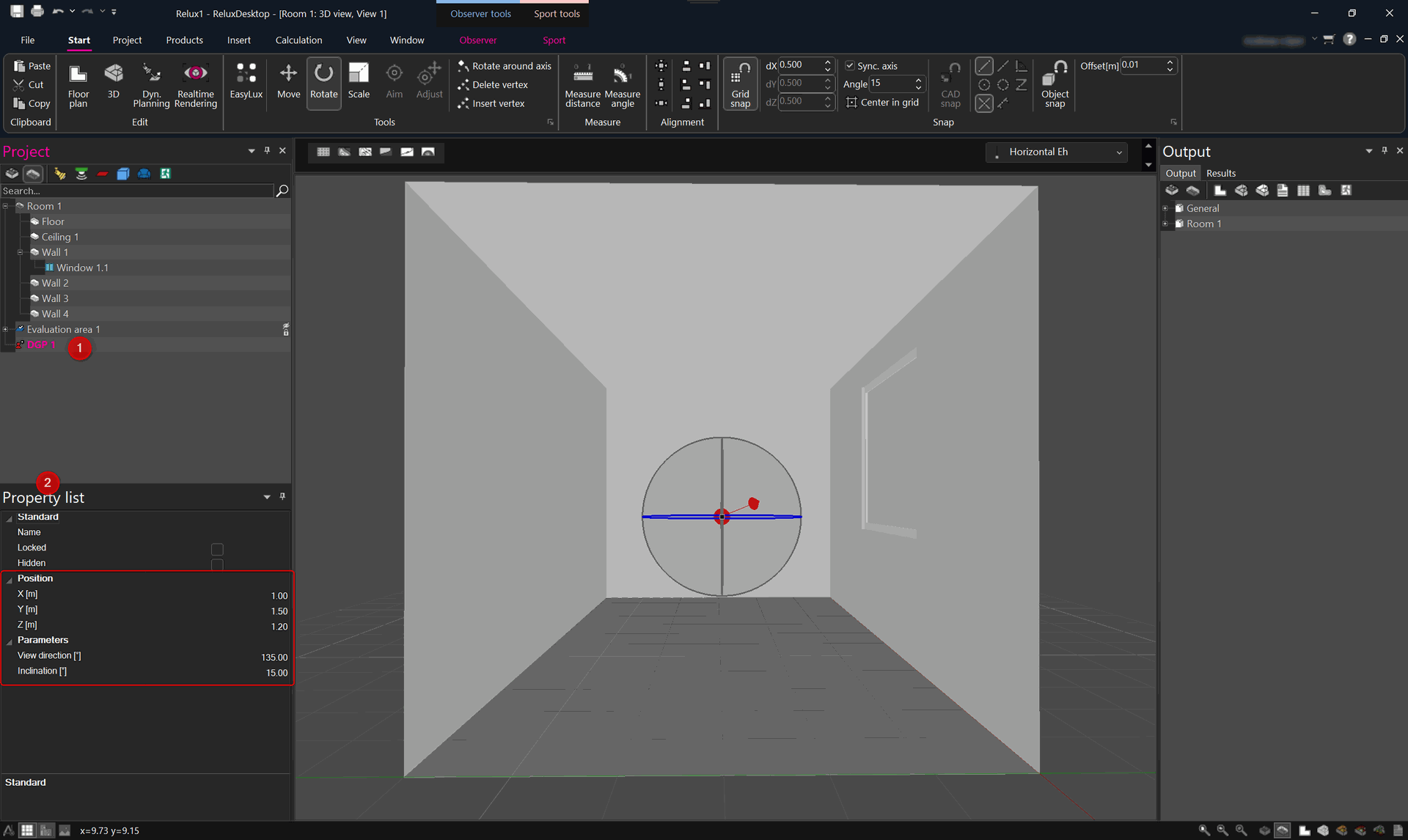
The following parameters can be set for the DGP observer:
Viewing direction: this determines the viewing direction in degrees, with 0 degrees being north. The direction can also be changed interactively via " Rotate".
Inclination: Shows the inclination of the observer between -90 and +90 degrees. With a positive angle, the observer looks upward, with a negative angle, the observer looks downward.
If a DGP observer is selected, the observer tools appear in the ribbon bar. The observer's field of vision can be checked here with an animation.
DGP observer output
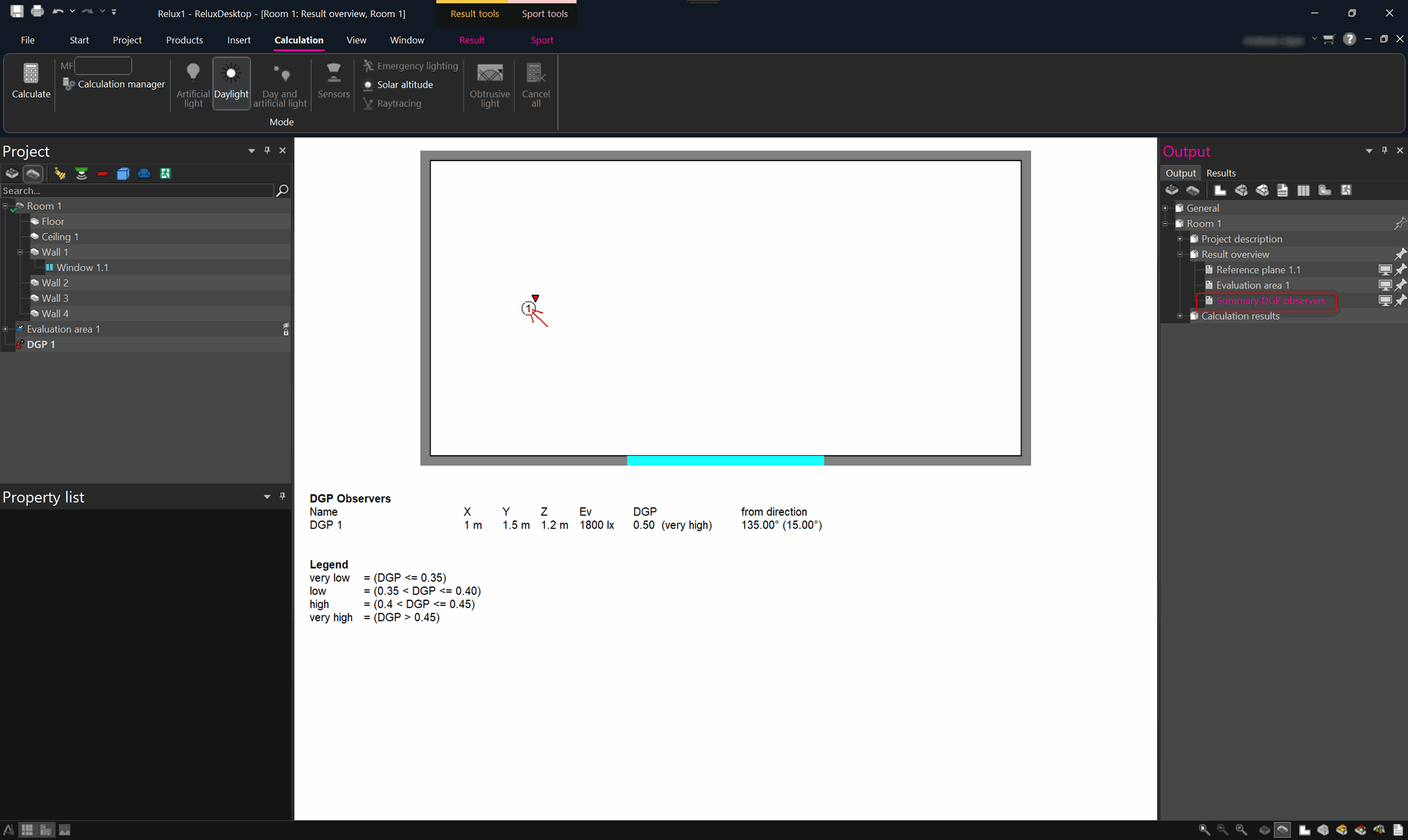
After a scene has been calculated, the output for the glare rating can be opened via the output tree under " Result overview" > "Summary DGP observers" .
The output included a Legend for the values.
Visualization & Rendering