ReluxEnergyCH –
Project details
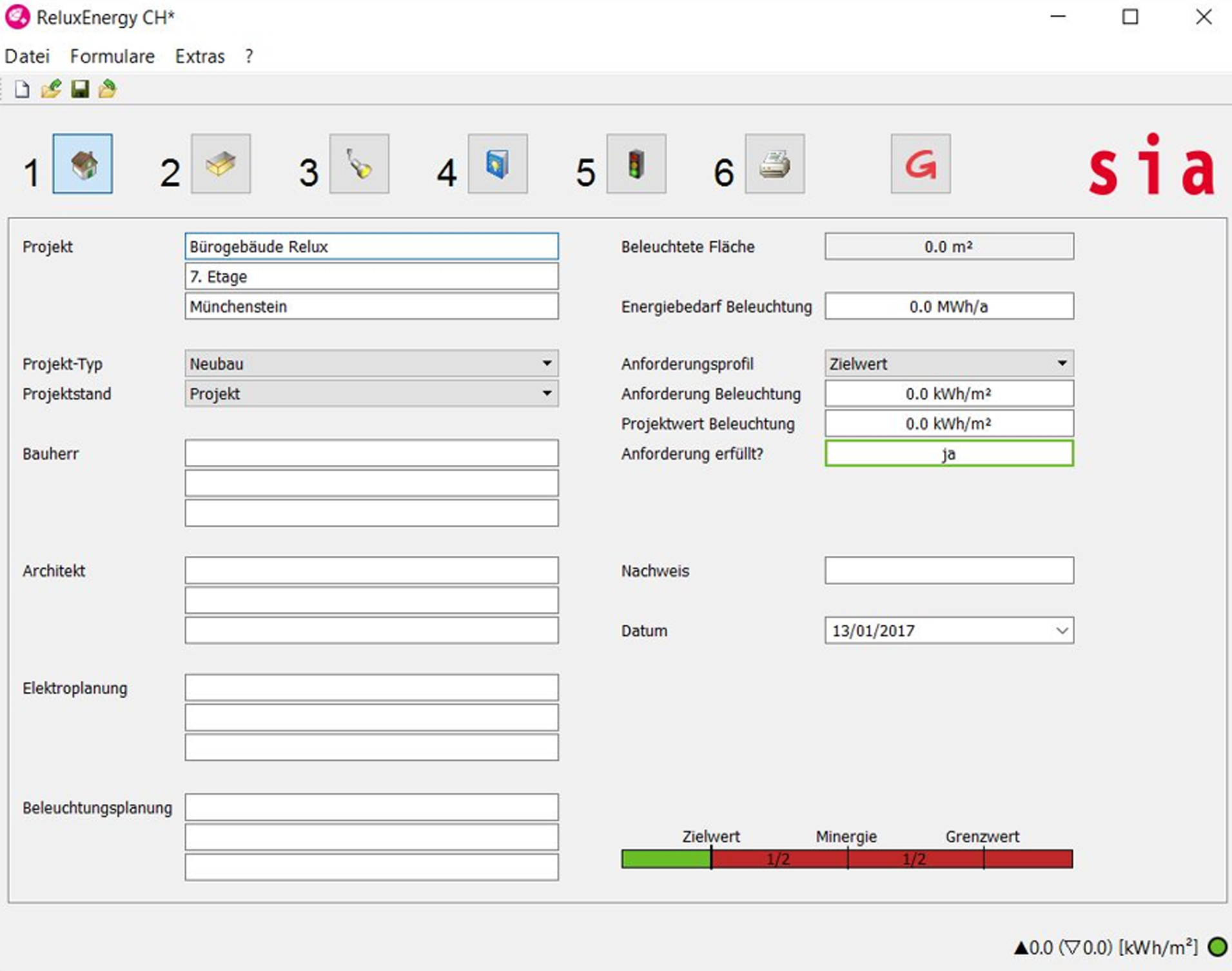
The first of the three buttons under "Project" denotes the name of the project.

This name appears in the printed version in the header of all the tables.
You should enter the project data shown in the screenshot by way of example.
The selection of the " Projekttyp (Rebuild/New)" affects the calculation of the limit values and target values.
The target values for new buildings are stricter, since certain structural aspects (e.g. shading through window lintels and balconies) can be better optimised for the use of daylight than in buildings undergoing remodelling).
The " Projektstand (Project status)" is informative in nature and does not have any influence on the calculations.
 The
other boxes are provided for entering the names and contact details of
the companies and persons involved in the construction work.
The
other boxes are provided for entering the names and contact details of
the companies and persons involved in the construction work.
Under "Anforderungsprofil (Requirements profile)", a distinction can be drawn here between the SIA Limit Value (SIA-Grenzwert), the SIA Target Value (SIA-Zielwert), MINERGIE® and Effelux. Depending on the selection made, all the subsequent comparative values will be related to this setting.
A project appears in green if the specified value of the set requirement profile is fulfilled. It can thus be green for the "Limit Value" setting, but red for MINERGIE®, as an example. The green or red point on the bottom right in the status bar shows, whether the object fulfils the requirement or not.
Overview of ReluxEnergyCH