Licence types

Learn about the different options of licences. 

Single licence


A single licence can be activated on:
 
- The USB-Hardlock 
which can be purchased in our online shop. This way, the
 licence can be used on any computer into which the dongle is plugged into.
 
-
Directly on one specific local computer.
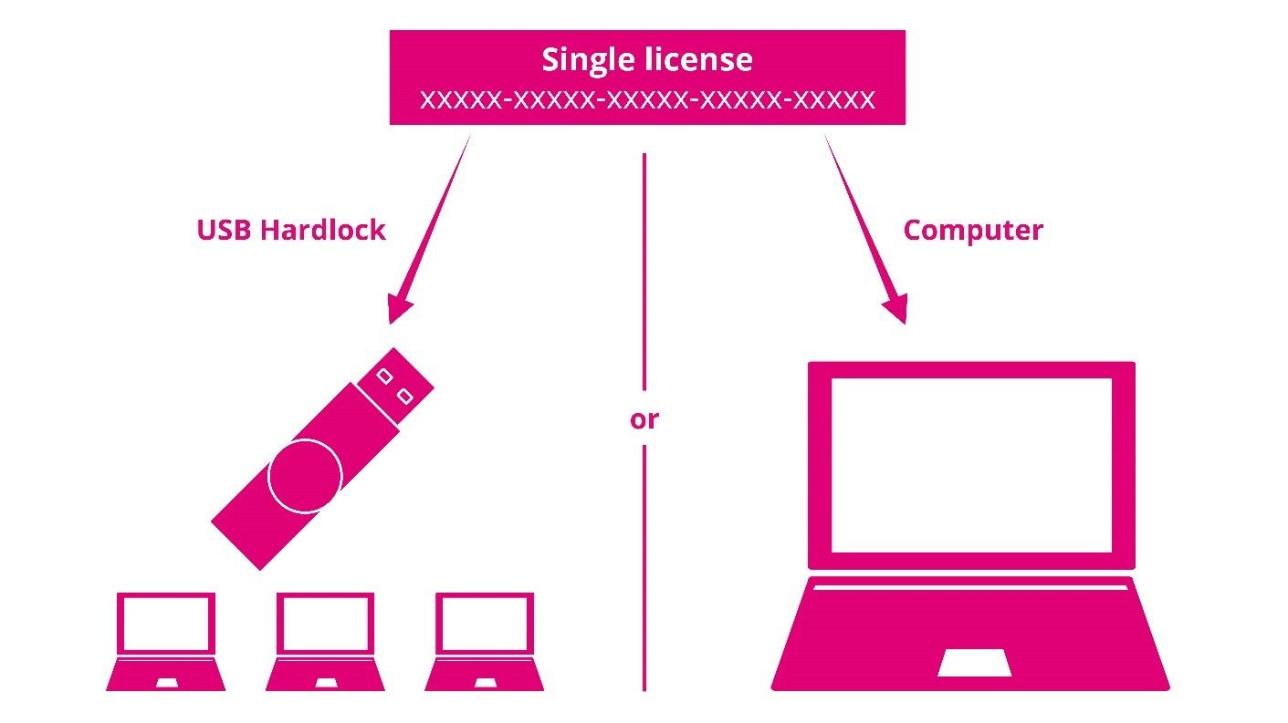
A schematic infographic explaining the activation paths for a "Single license". At the top, a magenta rectangular block reads "Single license" followed by a placeholder ticket key consisting of repetitive "X" characters. From this header block, three thin magenta lines branch downward, separated by the word "or" in the center. The left path is labeled "USB Hardlock" and features a magenta USB dongle pointing toward three small stylized laptop icons below. The right path is labeled "Computer" and points directly to a single large laptop icon, representing machine-bound activation.

How to activate a Single Licence?

Network licence


A network licence can be shared by all users in a company with access via port 22350 on the license server on which "CodeMeter User Runtime" is running and on which the license has been activated.

Depending on the number of network slots, up to mulitple users could work with the licence at the same time. 
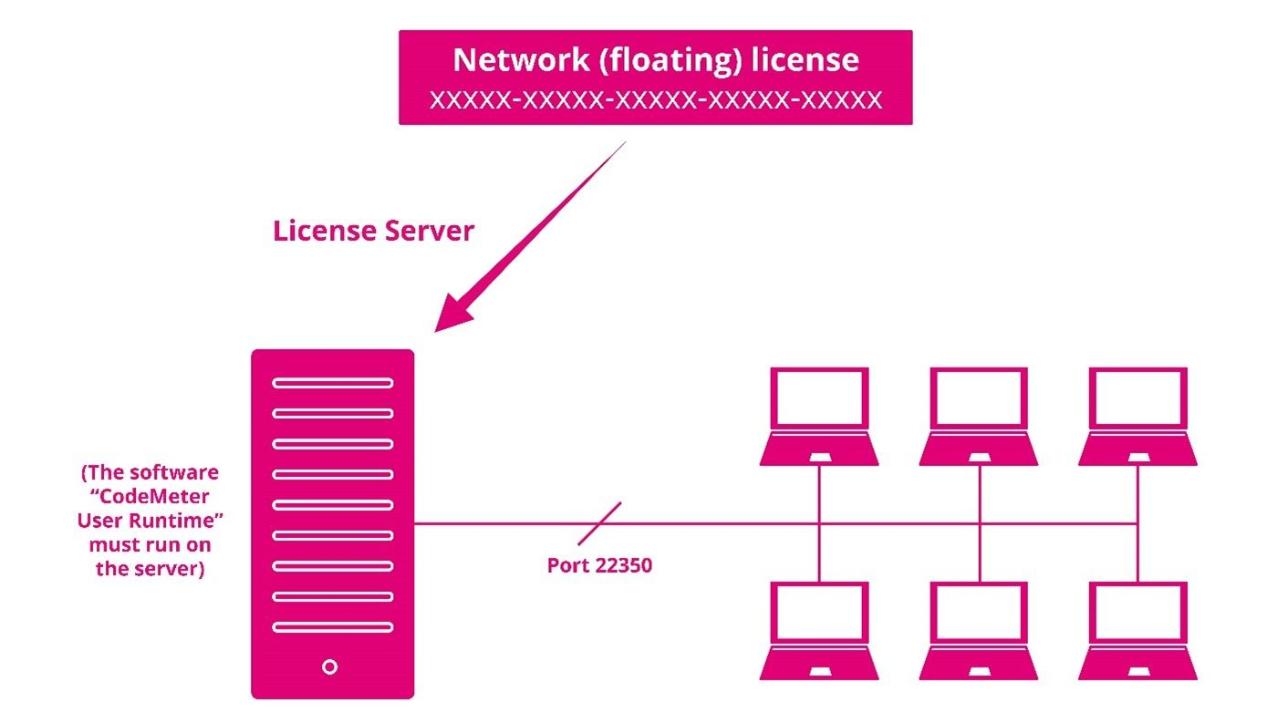
A technical infographic demonstrating the infrastructure of a "Network (floating) license". At the very top, a magenta header block states "Network (floating) license" with a placeholder ticket ID string. A diagonal arrow points down-left to a prominent magenta server tower icon labeled "License Server". To the left of the server, a note reads "(The software “CodeMeter User Runtime” must run on the server)". A horizontal network communication line extends from the server across a marker reading "Port 22350", connecting directly to a grid of six stylized laptop icons representing simultaneous network users.


How to activate a Network Licence?

Need more help?

Ask Chatbot Luxi or submit a support request.