ReluxDesktop – Customised
Road Lighting Class
Let`s customised your road lighting class.
Explanation
You can now easily customise the Lighting class to suit your needs.
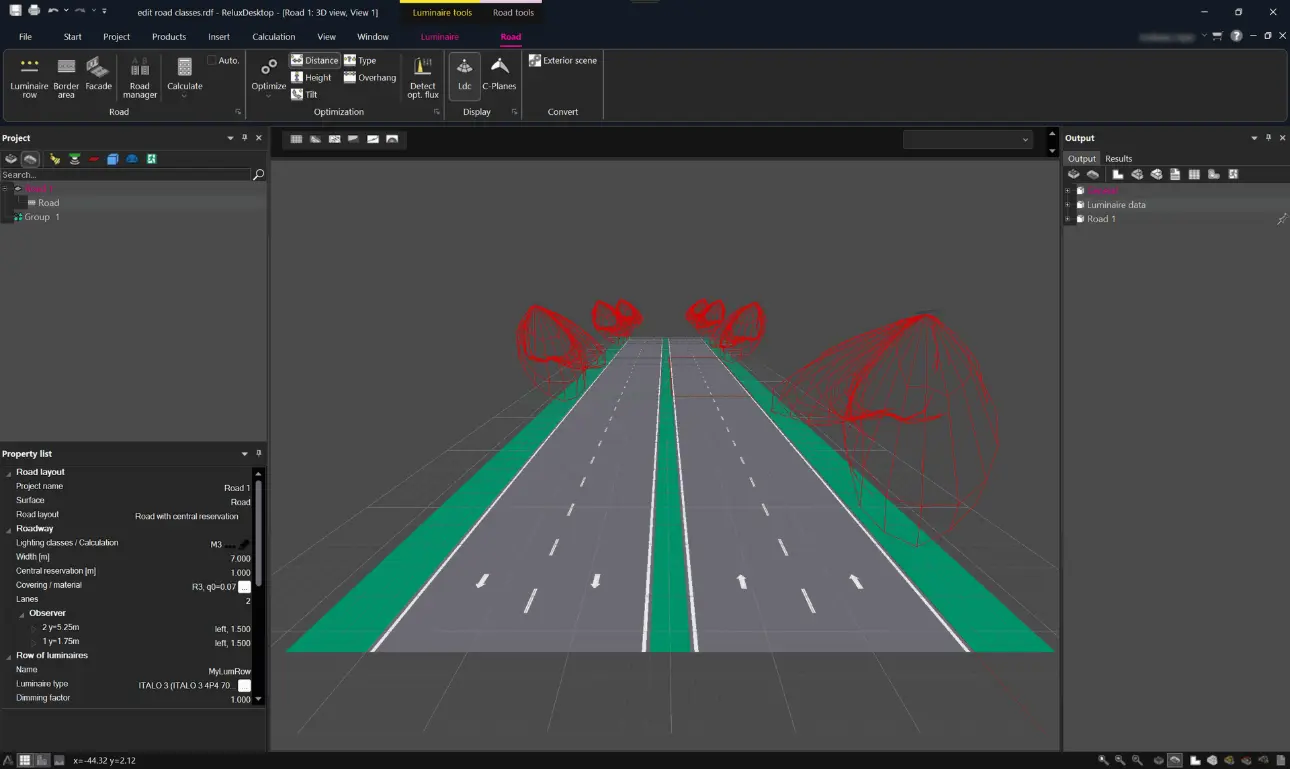
Edit a Lighting Class
To edit a lighting class, go to "Road"
> "Property list"
> "Lighting classes / Calculation" > "Edit"
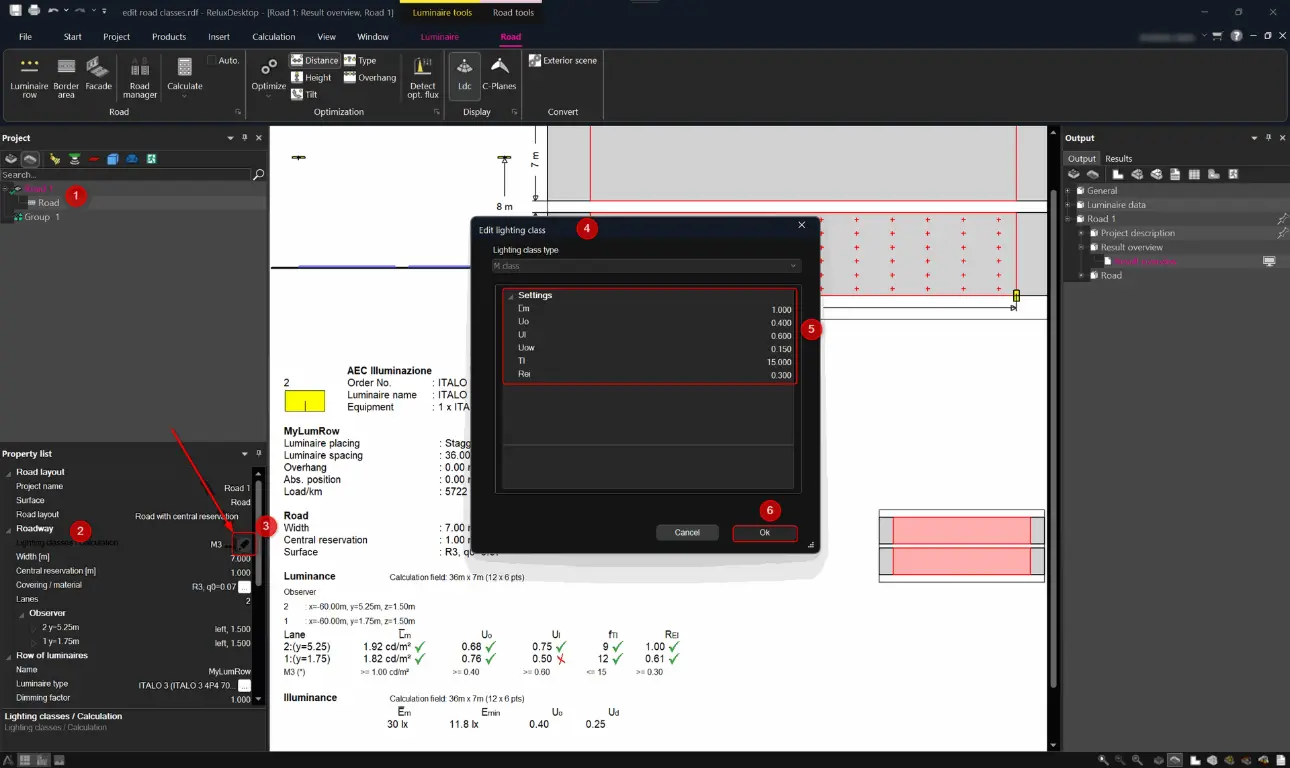
.
.
You can then adjust your settings in the small window.
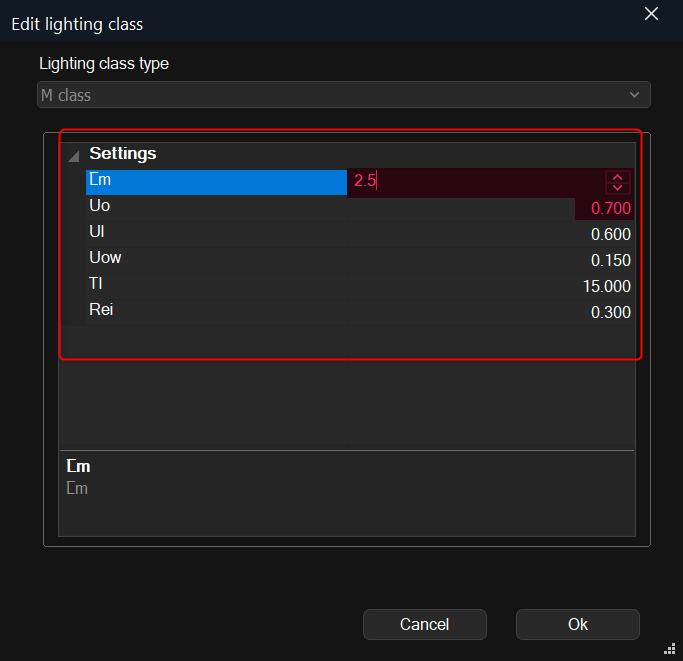
Confirm your changes by clicking OK.
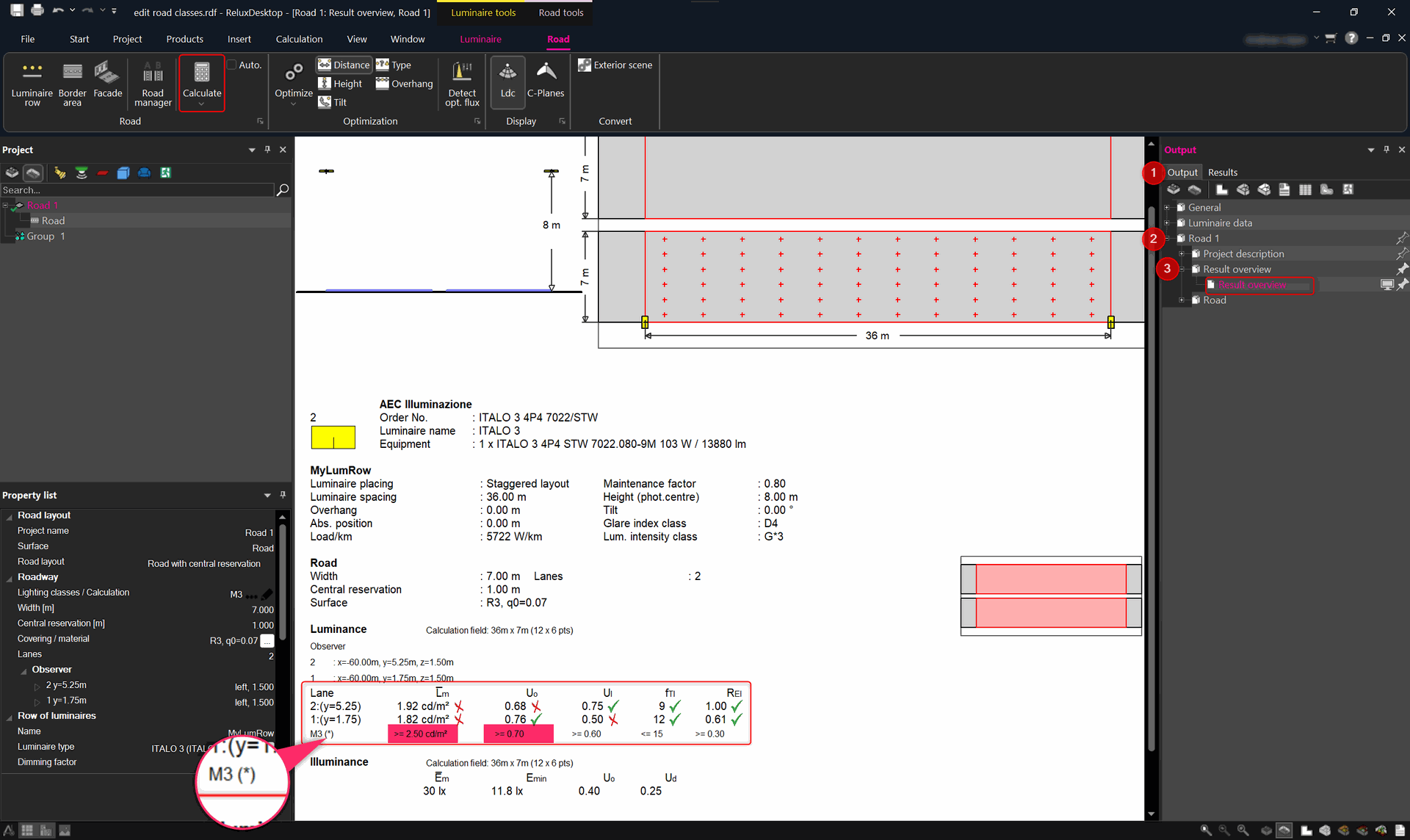
Then click “Calculate” and the updated details will be displayed in the results overview.
Lighting class / results output
To see the results, got to "Output/Results" > "Road" > "Result overview".
This image below shows the output with the default values in accordance with EN 13201-2 (3.2015).
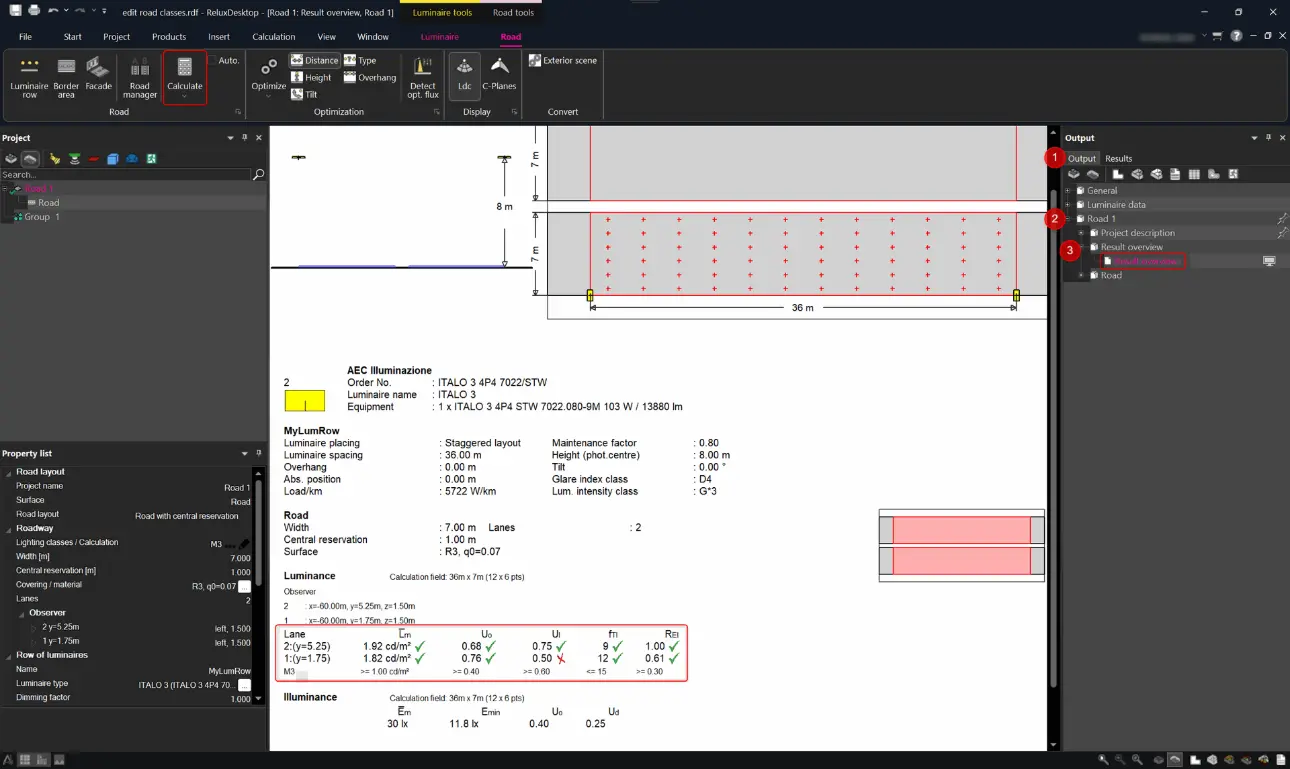
This image shows the output with the requirements edited. Please note that a customised lighting class profile is always marked with this symbol (*).
Customised road lighting class