ReluxDesktop now calculates according to Australian and
New Zealand lighting standards

If you're a lighting designer, electrical engineer, or consultant working on projects in Australia or New Zealand, you've likely relied on DIALux, AGi32, or similar tools to get your calculations standards-compliant. With the 2026.2 update, ReluxDesktop now offers a genuine alternative – one that's free to use, even for commercial projects, and built to support the Australian and New Zealand standards your projects actually need.
Here's what's new, why it matters for lighting professionals across AUS and NZL, and how you can get involved.
More information on Australian and New Zealand
standards in ReluxDesktop
Why Local Standards Support Matters
Lighting calculations are only as good as the standards behind them. A tool that defaults to European or North American norms forces you to manually adapt target values, assessment areas, and reporting formats to meet Australian and New Zealand requirements – a time-consuming workaround that increases the risk of compliance errors.
ReluxDesktop 2026.2 closes that gap. The relevant AS/NZS standards are built directly into the standard selection, so you can plan with confidence instead of retrofitting your calculations after the fact.
AS/NZS Standards Now Integrated in ReluxDesktop
The 2026.2 update adds direct support for the standards that matter most on AUS and NZ projects:
- AS/NZS 1680 series – Interior and workplace lighting
- AS/NZS 2293.1:2026 – Emergency lighting and exit signs
- AS/NZS 1158 series – Road and public space lighting
- AS/NZS 4282:2023 – Control of the obtrusive effects of outdoor lighting (via the ReluxObtrusiveLight add-on; project-specific limits should be checked and entered manually, as this standard isn't yet part of the public standards list)
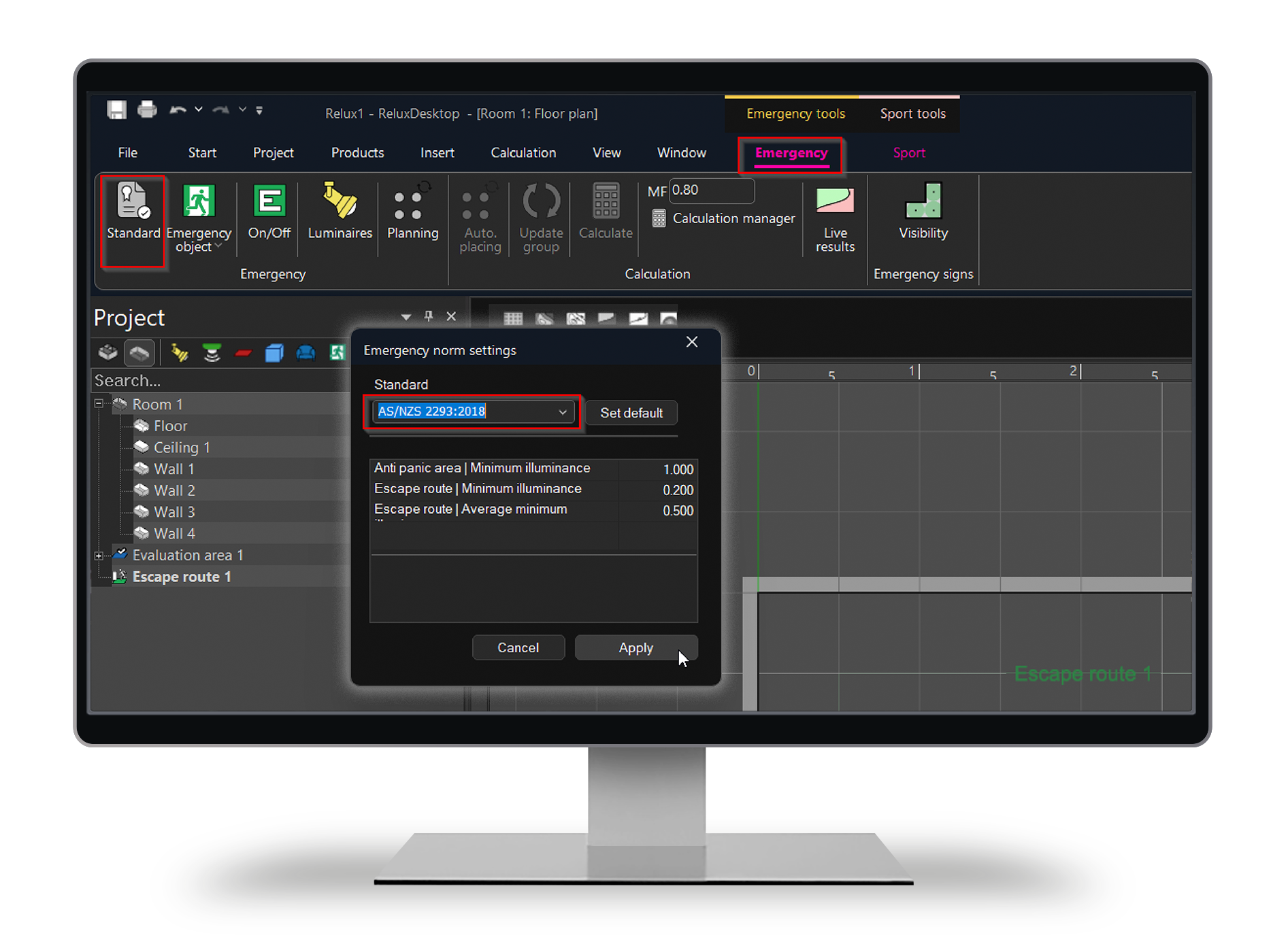
Selecting a standard is straightforward: insert the relevant area type into your scene (for example, an emergency area), and the corresponding tab – with the AS/NZS standard available for selection – appears automatically.
Custom standards and project-specific target values can also be defined where needed.
One Tool for Indoor, Outdoor, Road and Sports Lighting
Beyond standards compliance, ReluxDesktop is built to handle the full scope of a lighting project in a single application:
- Individual rooms, entire floors, and industrial halls
- Outdoor areas, car parks, and public spaces
- Road lighting to AS/NZS 1158
- Sports facilities via the ReluxSport add-on
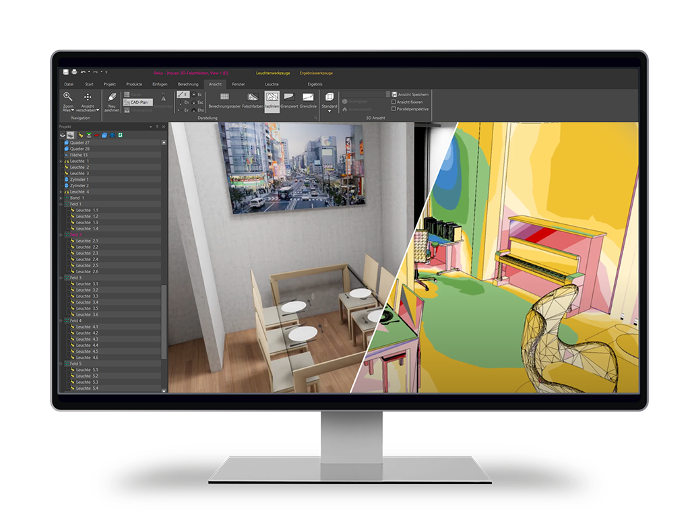
- Integrated daylight and artificial light simulation
- Sensor planning (presence detection, radial and tangential movement) – a feature not commonly found elsewhere
- Real-time 3D visualisation powered by Enscape
- AI-assisted 2D-to-3D conversion from PDF plans, raster images, or photographs
- BIM and CAD workflows, including IFC import/export and a bidirectional Revit connection via ReluxCAD for Revit
Reporting output includes standards-based drawings, tables, false-colour images, PDF, DWG/DXF, XLS, and GAEB - formats you can drop straight into your project documentation.
Free to Use, Including for Commercial Projects
Thanks to the support of manufacturer partners, ReluxDesktop is free to download and use – including for commercial work with Relux member products. Optional paid add-ons (ReluxObtrusiveLight, ReluxSport Pro, ReluxCAD for Revit, ReluxThirdParty) extend functionality for specialist applications, but the core planning tool carries no licence fee.
For consulting firms and companies using lighting design software in Australia and currently working with AGi32 or DIALux, it is worth comparing the wide range of integrated tools and options available in ReluxDesktop.
Getting Started
Calculate with the latest standards for Australia and New Zealand with the current version of ReluxDesktop – no separate installation required. Free SelfStudy training modules and regular webinars are available to help new users get up to speed quickly, whether you're switching from another platform or starting from scratch.
Download ReluxDesktop
Download now ReluxDesktop 2026.2 and use the new functions such as 2D-to-3D digitisation and AI image generation.
Important note on compliance
ReluxDesktop supports standards-compliant planning by providing relevant assessment criteria, target values, and calculation outputs – but it does not automatically guarantee compliance. Lighting designers remain responsible for confirming the applicable standard edition, verifying project-specific requirements, and ensuring compliance with local building regulations and authority requirements.
We're Looking for Tutors
in Australia and New Zealand
RELUX Informatik AG is actively expanding its presence in the Australian and New Zealand market – and we're looking for a local tutor partner to support und teach lighting professionals in the region.
If you're active in the lighting industry in Australia or New Zealand and interested in representing ReluxDesktop locally – through sales, training, or technical support – we'd like to hear from you.
Want to Learn More?
Visit our dedicated landingpage for ReluxDesktop in Australia and New Zealand for the full feature overview, standards details, and download options.