ReluxCAD for Revit –
Usage Profiles
What are usage profiles?

The usage profiles serve as so-called nominal or target values and are derived from the European standards for lighting planning.
If a room or area has nominal values of this type allocated to it, the add-on can automatically calculate the necessary number of luminaires.
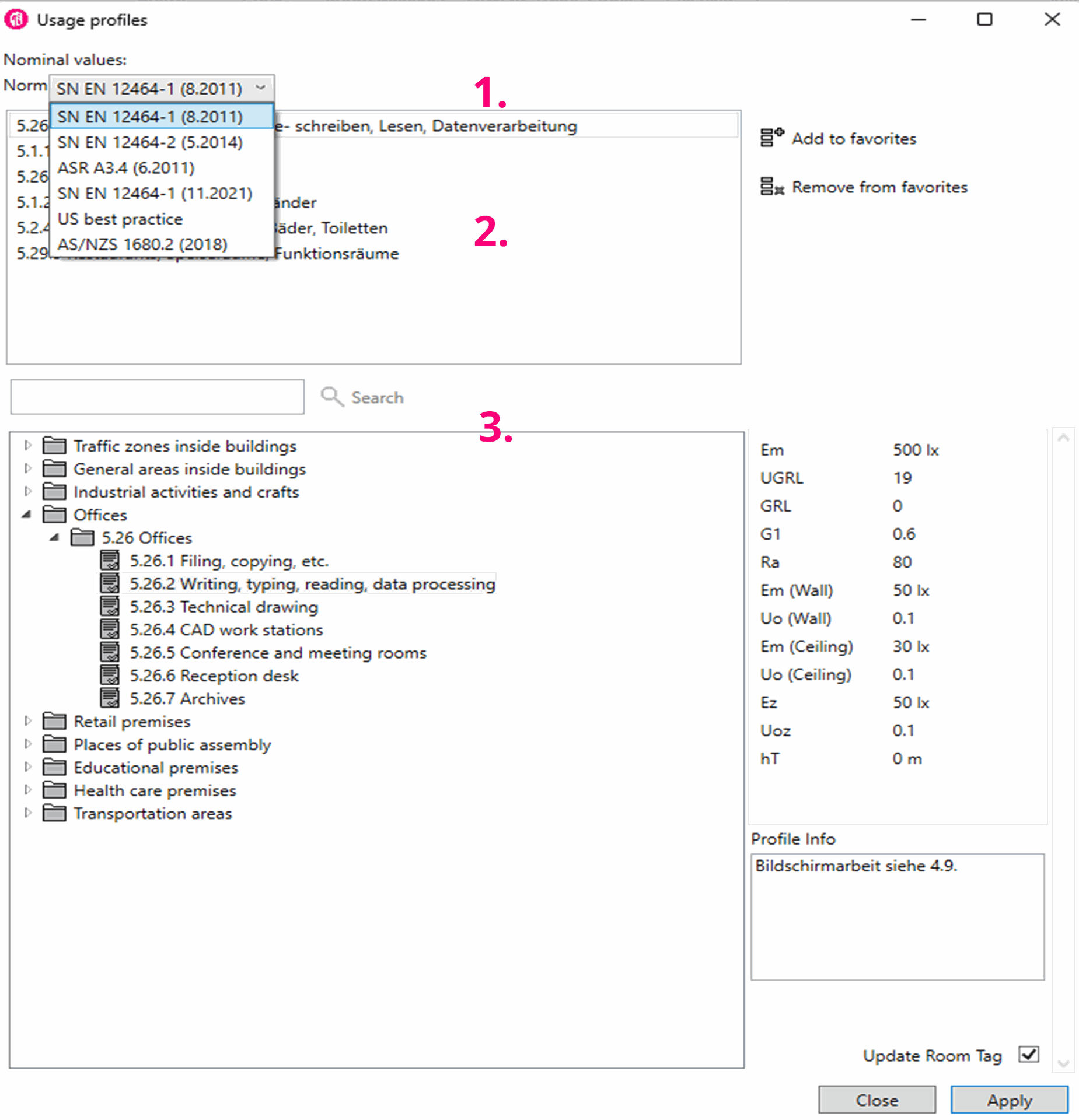
Zone 1: Contains current European standards. If further standards are required, please contact our support.
Zone 2: Contains your personal and frequently used nominal values.
Zone 3: Contains all the nominal values as per the standard selected in Zone 1.
Overview of ReluxCAD for Revit