Plan BIM projects free of charge
RELUX – the industry leader in lighting design for BIM – enables users without specialist knowledge of lighting or sensors to work efficiently with a bidirectional, lossless interface.
Revit users forward their project – along with any existing luminaires, including their light distribution curves – to the specialist lighting and sensor design team without any loss of data, and receive the luminaires and sensors back, fully planned in accordance with standards. This is possible with the free import and export functions in the ReluxCAD for Revit plug-in (from version 2026.2.0.).
Benefits
- High data quality
- Lossless data exchange, including luminaires and sensors
- Free of charge
BIM-Workflow with RELUX-Software
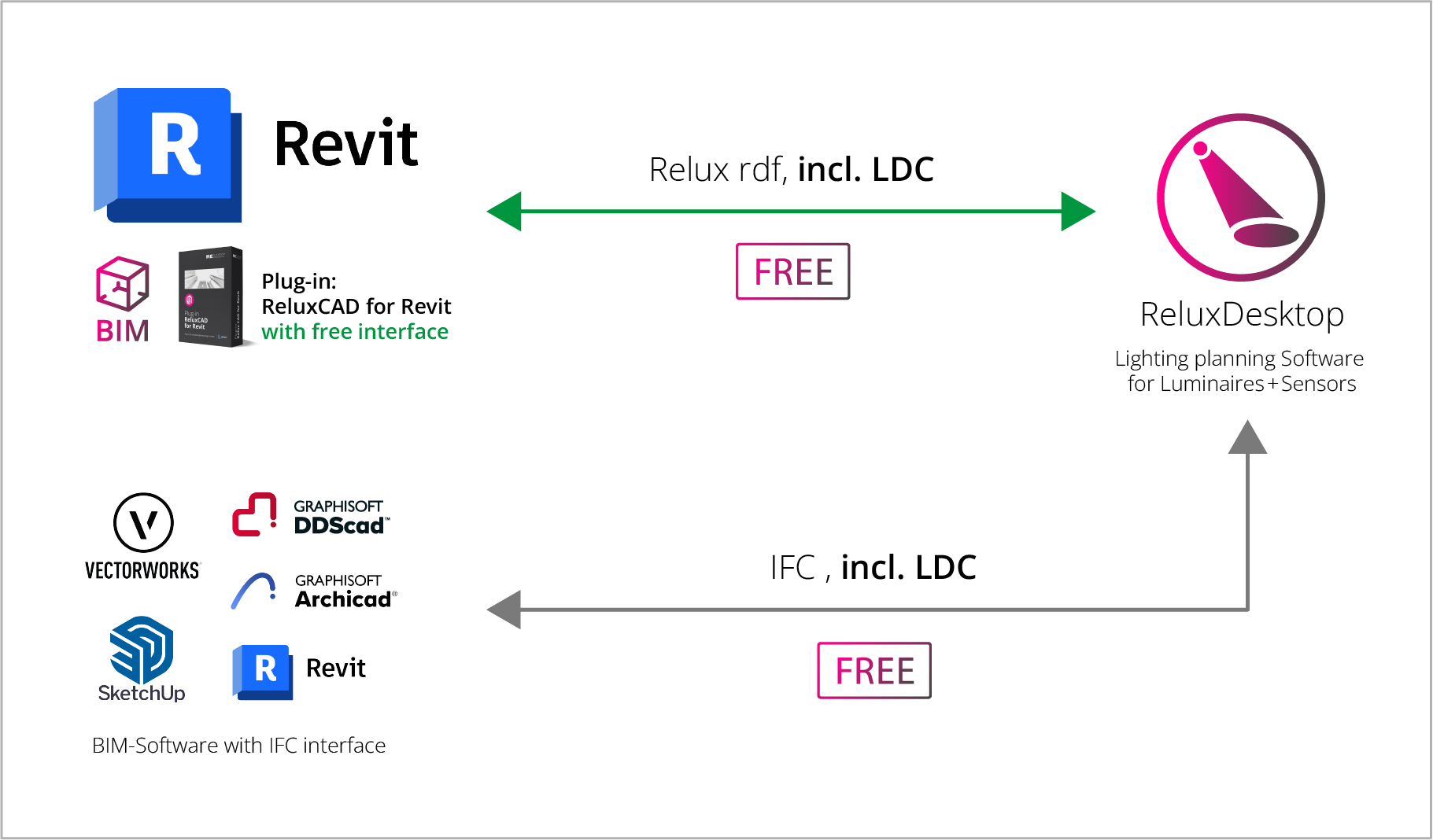
Workflow with Autodesk Revit and the ReluxCAD for Revit Plug-in
If Revit is not available, we recommend that designers exchange data using the IFC format. RELUX software supports this data format, including luminaire light distribution curves.
ReluxCAD for Revit has been specially developed for Revit users who wish to carry out lighting and sensor planning directly within Revit. Users of Revit who wish to export lighting and sensor plans externally are advised to use the import/export function in RDF format to link ReluxCAD for Revit with the ReluxDesktop application. This function is free of charge, and unlike IFC, the data exchange is lossless.
Using IFC, ReluxDesktop is also compatible with other BIM authoring systems such as Vectorworks, ArchiCAD, SketchUp, DDS-CAD, Navisworks and Allplan. The IFC workflow is somewhat more complex and prone to errors. Particularly in iterative BIM projects, export and import loops, mapping issues, missing rooms or loss of parameters often lead to additional manual reworking.
👉🏼 Compare the Workflow-Revit-and-IFC
Step-by-step guide
to using ReluxCAD for Revit

ReluxCAD for Revit is the most efficient way to create BIM-compliant lighting designs in Revit. No data loss, no disruption to the workflow and no unnecessary rework.
You can find the answers to the most frequently asked questions in the FAQ .
Comparison of Revit and IFC Workflows
| ReluxCAD for Revit | IFC-Workflow |
| Lossless, bidirectional exchange | Open, tool-independent standard |
| Iterations without revisions (e.g. updating the architectural model, adjusting the lighting |
Significant effort required for changes |
| Quality check for exports | Errors often only become apparent during import |
| Rooms, model logic and completeness checked, for example whether rooms exist and are closed | Mapping issues and interpretation differences are possible |
| Luminaires with light distribution curve in the free version LDCs, measuring surfaces, target values and reflection factors can be defined in the model in the full version |
Luminaire import with LDC is not yet possible |
| Free of charge |
Free of charge |
Benefits in the BIM planning process with RELUX software

Import luminaires and sensors directly from the ReluxNet database
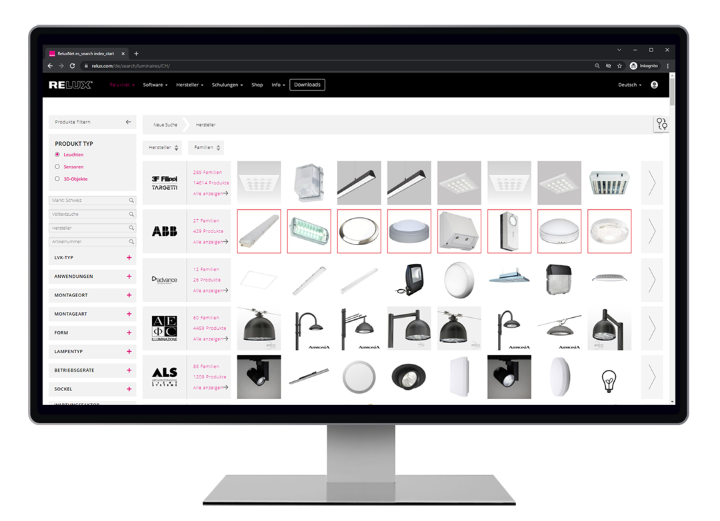
• Direct placement in Revit
• Calculation process directly in Revit (with the license of ReluxCAD for Revit)

Lossless, bidirectional exchange between Revit and ReluxDesktop
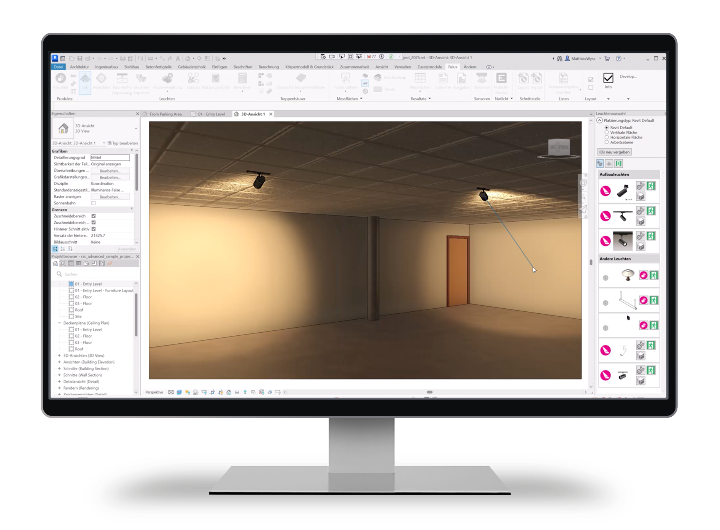
The architect or electrical planner exports the file from Revit using the plug-in and sends it to the lighting designer. The lighting designer calculates the project in ReluxDesktop, completely without data loss. The finished file is returned to the architect or electrical planner. With just one click, the planning is imported bidirectionally into Revit, including luminaires and sensors.
Your benefits
• Reliable results without data loss
• Work more intelligently and efficiently
• Save valuable planning time

«With the free plug-in, we enable a genuine BIM workflow with Revit and ReluxDesktop, completely without loss. A real added value for everyone who plans lighting.»
Matthias Wyss, RELUX Informatik AG

Export and import of IFC in ReluxDesktop (kostenlos)
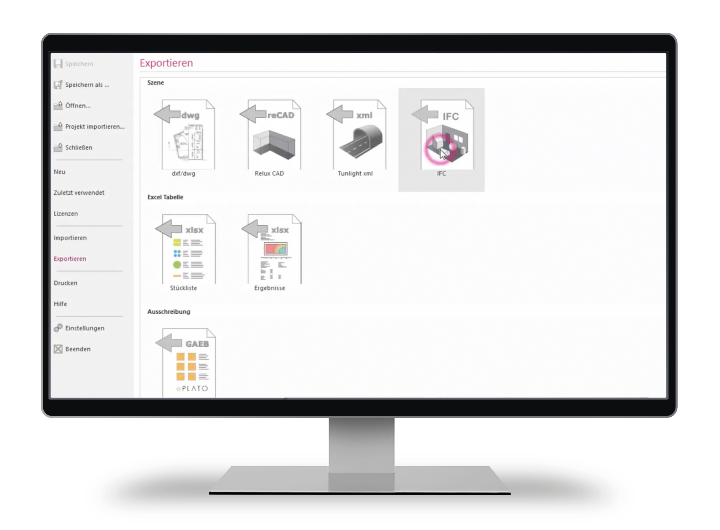
The free IFC import and export function in ReluxDesktop enables a BIM workflow for importing architectural models and exporting the planned lighting back as an IFC file. Although this interface already delivers solid results for model-based data exchange, the directly integrated add-on ReluxCAD for Revit remains our recommended solution for seamless and highly efficient BIM planning. The webinar recordings demonstrate the workflow with IFC.
Video IFC-Export and IFC-Import
Your benefits
• Open BIM standard for exchange with different planning systems
• Free export of luminaires into previously imported IFC files
• Existing building models can be imported directly into ReluxDesktop
FAQ – ReluxCAD for Revit vs. IFC
IFC is an exchange format. ReluxCAD for Revit, by contrast, is a direct planning workflow. With the plug-in, data exchange between Revit and ReluxDesktop is lossless and bidirectional, while IFC is always linked to export, import, mapping and additional checking effort.
In BIM projects, architectural models and lighting concepts often change several times. ReluxCAD for Revit supports these iterations without unnecessary rework because the exchange between Revit and ReluxDesktop remains consistent and bidirectional.
ReluxCAD for Revit enables early checks on the completeness and quality of the model right from the export stage. This allows issues such as missing or unclosed rooms to be identified at an early stage. In the IFC workflow, such errors often only become apparent during import, i.e. much later in the process.
Important lighting design information can already be defined within the BIM model, such as luminaires with light distribution curves (LDCs), measurement surfaces, room usage, target values and reflectance levels. It is precisely this information that is crucial for accurate calculations. In the IFC workflow, this information is often missing or is not transferred correctly.
IFC is useful when an open, tool-independent standard is required for data exchange or archiving. However, IFC is often less suitable for precise, iterative design cycles, as data loss, mapping issues and differing interpretations of the IFC definition lead to additional work. A further drawback is that it is not currently possible to import luminaires using LVK.
The full version of ReluxCAD for Revit, which includes a wide range of features, enables lighting and sensor design directly within Revit and is subject to a fee. The licence can be purchased from the ReluxShop. The free version of the plug-in enables the bidirectional exchange of lighting designs between Revit and ReluxDesktop. The range of functions is limited.
ReluxCAD for Revit is the quickest and most reliable way to create BIM-compliant lighting designs in Revit. No data loss. No rework. No IFC loops.
Recording of the Webinar RELUX & BIM
Lighting design in a BIM environment using ReluxCAD for Revit
ReluxCAD for Revit – Comprehensive BIM planning
The full version of ReluxCAD for Revit gives you access to even more possibilities.
Lighting design elements can already be defined in the BIM model with the following options:
✅ Luminaires including light distribution curve (LDC)
✅ Measuring surfaces
✅ Room usage and target values
✅ Reflection factors
In addition to lossless, bidirectional exchange and lighting design directly in Revit, iterations are also possible when switching repeatedly between Revit and ReluxDesktop. The immediate completeness check of the BIM model during export increases efficiency and avoids unnecessary rework.
Planning BIM projects efficiently
ReluxCAD for Revit offers comprehensive lighting calculation functions directly within Revit. Take advantage of the latest features such as EasySens, the aiming tool and the new output generator.