How to extend a licence subscription

General > RELUX licences > How to extend a licence subscription

  Your licence is expiring? Don't worry, easily renew it for another year. 

Renewing your payware licence

We will send you a renewal offer for your expiring licence about 30 days before it's expiry. Depending on your subscription status and payment method, the licence either will get renewed automatically or a prepayment will be required. 


Subscription status


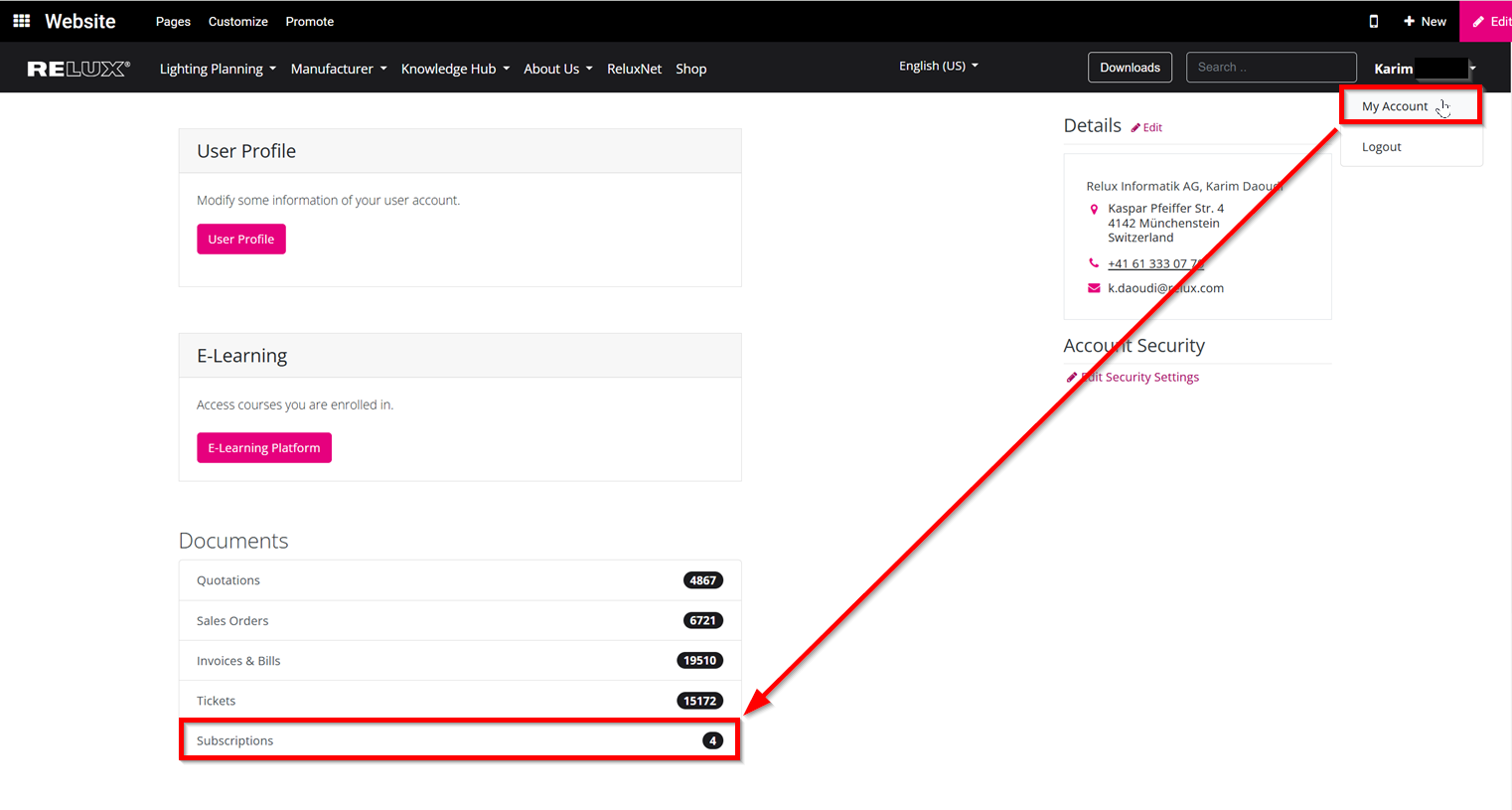
On the RELUX website, you will find a
" Subscriptions" segment in your account under  "My Account"


A screenshot of the user profile dashboard on the RELUX website within the Odoo platform. A black navigation header bar sits at the top. On the right side, the profile drop-down menu is open, with a red rectangular frame highlighting the "My Account" link. From this box, a long red diagonal line points downward to the "Documents" section on the left, where another red frame highlights the "Subscriptions" row, which features a black badge counter displaying the number "4".


Here you can view and change the status of your licence subscriptions.

A screenshot of the "Subscriptions" dashboard page within the RELUX customer portal on the Odoo platform. The upper area features a minimalist navigation line with a shopping cart badge icon and a "Product Name" search field input box. Below this area, a data grid outlines columns for "Subscription", "Next Invoice Date", "Status", and "Total". A single active item row lists the contract "LS-12m/SUB-2021-002338 - Fabio Tamborrini, Fabio Tamborrini" alongside the nested bullet point "ReluxThirdParty (Single license)". The next billing date is logged as 11/13/2022. Under the status column, a green "In Progress" checkmark badge is explicitly highlighted inside a rounded pink frame. The total price displays "59.80 CHF".


If the subscription is active, it will appear as "In progress". Depending on your filed payment method, an automatic renewal is feasible. If the subscription is closed, a manual prepayment will be required before the expiry date. After the expiration, the licence is no longer renewable. 


Payment by invoice
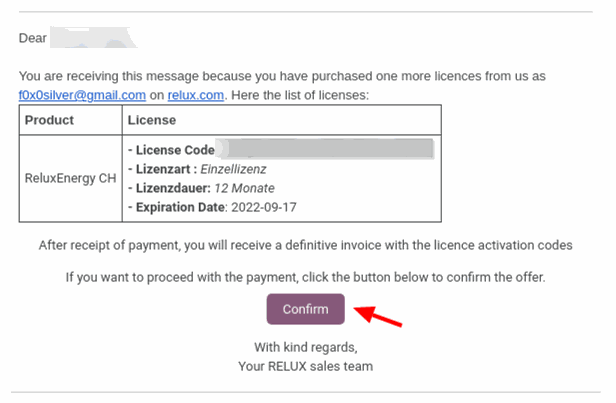
If you are eligible for a payment by invoice, an invoice will automatically generate before expiry which will renew the licence. If not, a prepayment with a proforma invoice is required. In this case, select the purple "Pay" button or visit your profile and select "Your documents". You can then view the quotation/proforma invoice. 
A screenshot displaying an automated email notification for the invoice payment workflow under the header "Payment by invoice". The English body text informs the user about a purchase for the product "ReluxEnergy CH". An embedded table logs the license code (blurred for privacy), the license type ("Einzellizenz"), duration ("12 Monate"), and expiration date ("2022-09-17"). At the bottom, a red arrow points directly to a purple rounded action button labeled "Confirm".


Payment by credit card

If you purchased your licence by credit card, it will automatically be on file. As long as the card is valid, it will be charged automatically and your licence will get renewed. This automatic process will take place at about 10 days before expiry. 
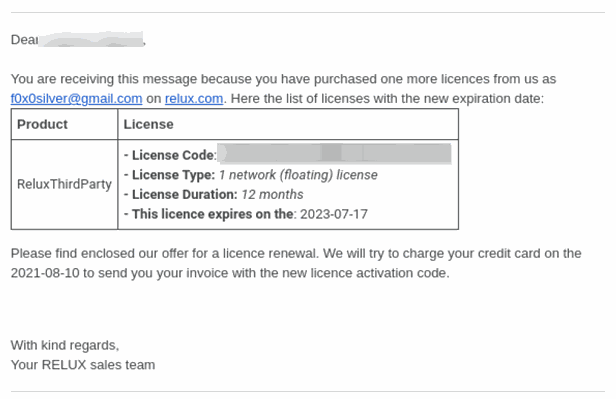
A screenshot of an automated email notification for credit card renewals under the header "Payment by credit card". The English text explains that valid credit cards on file will be charged automatically around 10 days before expiration. An embedded technical data table lists the details for the "ReluxThirdParty" asset: a blurred license code string, the license type ("1 network (floating) license"), duration ("12 months"), and the final expiration date ("2023-07-17").


When the payment has been confirmed, you will receive a confirmation by email.


If the credit card could not get charged, you will receive another email 9 days before the licence expires to confirm the payment details or to follow up with a manual payment.
 

Need more help?

Ask Chatbot Luxi or submit a support request.